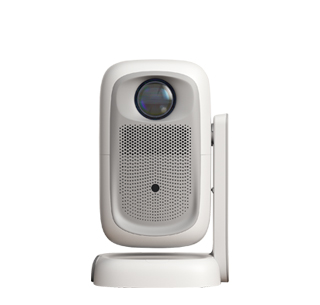
All mainstream projectors on the market can be perfectly connected to desktop computer hosts, which is one of the most common and stable projector usage modes. Connecting a projector with a desktop host can convert the computer’s small-screen display into a large-screen projection picture, widely used in student learning, family office, small meeting presentation and game entertainment scenarios. This connection method has extremely high compatibility, with almost no device adaptation barriers, and can realize lossless transmission of computer screen content, including high-definition videos, game pictures, document data and real-time operation screens.
There are two core connection modes between projectors and desktop computer hosts: wired connection and wireless connection, with wired connection being the first choice for high-definition and stable transmission. The most commonly used wired interface is HDMI, which supports simultaneous transmission of high-definition video and audio signals with simple plug-and-play operation. Users only need to insert one end of the HDMI cable into the HDMI interface of the desktop host and the other end into the projector’s HDMI interface, then switch the projector’s signal source to HDMI mode to complete the connection. For old desktop hosts or projectors without HDMI interfaces, VGA interfaces can be used for connection to realize basic screen projection, meeting daily office and learning display needs.
Wireless connection is more suitable for users who pursue a tidy desktop and convenient operation, eliminating the limitation of data cables. Smart projectors with built-in wireless projection function can be connected to desktop hosts under the same Wi-Fi network. After turning on the computer’s wireless projection function, search for the projector’s device name for matching connection, realizing real-time wireless screen mirroring and extended screen display. Although wireless connection is convenient, it is slightly inferior to wired connection in transmission stability. It is susceptible to Wi-Fi network signal interference, which may cause picture delay and frame drop during high-definition video playback and high-load game operation.
After completing the connection, users can adjust the display mode according to different usage needs. The desktop host supports three projection modes: duplicate screen, extended screen and second screen only. The duplicate screen mode synchronizes the computer and projector pictures, suitable for PPT demonstrations and teaching displays; the extended screen mode can expand the display space, allowing users to independently operate different content on the computer host and projector, improving work and learning efficiency. In general, the connection between projectors and desktop hosts is simple and practical, with strong compatibility and diverse modes, which can greatly expand the usage scenarios and practical value of both devices.
Read recommendations:
HN30B Portable - HN Series Projector
HD Screen Mirroring Projector
Resolution of Projector Screens





















 Reviewed:



