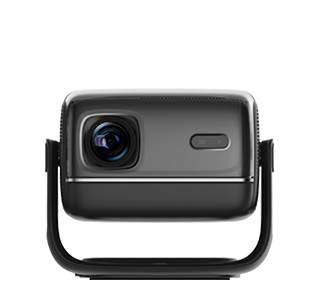
Many users encounter blurry pictures, distorted images and delayed pictures when projecting WeChat video calls with projectors, which affects the effect of remote family communication and online video conferences. To obtain a clear video call projection picture, the first key is to select a stable high-definition casting method. Wired HDMI connection is the best choice for WeChat video call projection, which can realize lossless transmission of real-time video pictures, completely avoid picture compression and blurring caused by wireless network fluctuation. For users who pursue convenience, 5G WiFi wireless casting can also meet the high-definition demand, while 2.4G WiFi must be abandoned due to serious delay and picture quality loss.
Reasonable adjustment of device parameters is the core of optimizing video call clarity. On the mobile phone or computer terminal for WeChat video calls, turn off all background applications to ensure sufficient operating memory, because insufficient memory will cause video frame reduction and resolution decline. Turn on the high-definition video call function in WeChat settings, and disable the low-data mode, which will automatically compress video picture quality. On the projector side, adjust the image sharpness, contrast and brightness to moderate values, avoid over-sharpening leading to picture noise, and turn off the dynamic blur reduction function, which is easy to cause face distortion and picture delay in real-time video calls.
Optimizing the shooting and projection environment can further improve the clarity of WeChat video call projection. Ensure sufficient and soft indoor light, avoid backlight and dark environment, because insufficient light will lead to noisy and blurry video pictures. Keep the mobile phone or camera stable during the call, avoid shaking, to prevent the projected large screen from being blurred and jittery. In addition, close other network occupying devices during the video call to ensure unobstructed network speed and avoid video frame dropping and stuttering. After optimizing the connection mode, equipment parameters and shooting environment, the projected WeChat video call picture will be clear and smooth, with natural colors and synchronous audio and video, bringing a high-quality large-screen video call experience.
Read recommendations:
HW45 Home Cinema - HW Series Projector
8G Business Portable Projector
How to Adjust Projector Colors When They Appear Yellowish





















 Reviewed:



