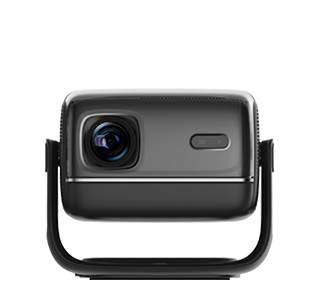
Connecting a projector to a computer has become increasingly convenient in recent years, thanks to advancements in connectivity technology, which has eliminated many of the cumbersome steps that once made the process frustrating. Modern projectors and computers offer a variety of connection options, including wired and wireless methods, ensuring compatibility with different devices and user preferences. Wired connections, such as HDMI, USB-C, and VGA, remain a reliable and straightforward choice for many users, as they provide stable signal transmission with minimal latency, making them ideal for tasks that require high-quality video and audio, such as presentations, video editing, and gaming.
HDMI is the most common and versatile wired connection standard, with most projectors and computers equipped with HDMI ports. This allows users to connect the two devices with a single HDMI cable, enabling instant transmission of video and audio signals without the need for additional adapters in most cases. USB-C has also become increasingly popular, especially with newer laptops and projectors, as it supports both data transfer and video output, often with the added benefit of charging the computer simultaneously. VGA, while older, is still present on some older devices and projectors, providing a viable option for users with legacy equipment, though it only supports video transmission, requiring a separate audio cable for sound.
Wireless connectivity has further enhanced the convenience of connecting projectors and computers, eliminating the need for cables entirely. Most modern projectors support Wi-Fi connectivity, allowing users to connect their computers to the projector via a local Wi-Fi network. This enables wireless screen mirroring, where the computer’s display is duplicated on the projector screen, making it easy to share content without being tethered to the device. Some projectors also support Bluetooth connectivity, which can be used to connect wireless speakers for improved audio quality, though it is not typically used for video transmission. Additionally, many projectors come with built-in screen mirroring protocols that are compatible with both Windows and macOS systems, simplifying the connection process even further—users can often connect with just a few clicks, without the need to install additional software.
The convenience of these connections also extends to setup and portability. Many projectors are designed to be plug-and-play, meaning that once connected to the computer, they automatically detect the signal and adjust the display settings accordingly. This eliminates the need for manual configuration, making the process accessible even for users with limited technical knowledge. For users who frequently move between locations, wireless connections or lightweight cables (such as USB-C) make it easy to set up the projector and computer quickly, without the hassle of managing multiple cables or adapters.
Read recommendations:
HW30 Home Cinema - HW Series Projector
250ANSI Projector manufacturer
What Is the Service Life of a Projector Optical Engine?





















 Reviewed:



