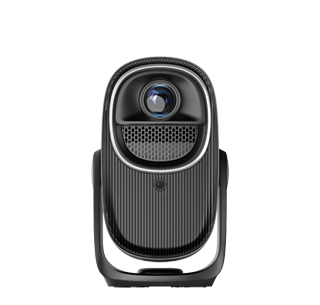
The correction effect of electric keystone projectors refers to the projector's ability to automatically or manually adjust the projected image to counteract trapezoidal distortion caused by angled installation. When a projector is not placed directly perpendicular to the screen—either tilted up, down, or sideways—the image becomes stretched into a trapezoid rather than a perfect rectangle. Electric keystone correction, available in most modern projectors, uses internal algorithms to analyze the image and digitally or physically adjust the aspect ratio to restore symmetry. The quality of this effect is measured by its correction range, accuracy, and impact on image quality.
Electric keystone systems fall into two main categories: digital and manual/mechanical. Digital keystone, the most common type, works by cropping and reprojecting pixels. It offers a wide correction range, typically up to ±40 degrees for vertical (vertical keystone) and ±30 degrees for horizontal (horizontal keystone). For example, the Epson EF-12 offers a generous ±40-degree vertical correction, allowing it to be placed on a high shelf and still project a square image. However, digital correction reduces the image resolution and brightness by up to 30-50% because it discards peripheral pixels. Mechanical/optical keystone, found in premium models, physically shifts the lens or uses anamorphic lenses to correct distortion without losing image quality. It provides precise, artifact-free correction but often has a narrower range (±15-20 degrees).**
The "effectiveness" of the correction also depends on the type of distortion. Vertical keystone is generally flawless, producing a crisp, symmetrical image. Horizontal keystone, however, can introduce more visible artifacts, such as uneven sharpness or color shifting, especially at maximum correction angles. For critical viewing (e.g., home theaters), it’s always best to position the projector as close to the center as possible to minimize correction. For corporate and educational settings, where flexibility is key, electric keystone is an indispensable feature that sacrifices minimal quality for convenience. When evaluating a projector, check the manufacturer’s specs for "keystone correction range" and look for reviews noting whether the corrected image shows moiré patterns or blurriness at extreme angles.
Read recommendations:
HW45 Home Cinema - HW Series Projector
Projector Screen Size and Projection Distance
250 ANSI Lumens 1080P Home Theater Projector





















 Reviewed:



