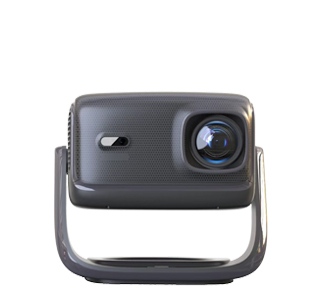
Connecting a home projector to WiFi for direct movie watching is the most convenient and wire-free entertainment solution, eliminating the need for external devices such as computers, TV boxes, and U disks. Most modern smart projectors are equipped with built-in Android systems and WiFi modules, supporting automatic network connection and online video playback. The entire operation process is simple and friendly for novice users, with stable connection effects and smooth playback after successful pairing. By connecting WiFi, users can directly access mainstream video streaming apps, online movie libraries, and network resources on the projector, realizing one-click playback of latest movies, classic films, and variety shows, greatly improving the convenience of home theater use.
The standard WiFi connection process for projectors is divided into three simple steps. First, turn on the projector and enter the system home page, find the “Settings” option in the menu bar, and select the “Network and Internet” module. Second, turn on the WiFi switch, and the projector will automatically scan all nearby available wireless networks. After waiting for 3 to 5 seconds, select the home WiFi name, enter the correct password, and click the connect button. Third, after the system prompts successful network connection, return to the home page to open pre-installed video apps or browser software to search and play movies directly. It is recommended to connect to a 5G dual-band WiFi network, which has faster transmission speed, lower delay, and stronger anti-interference ability than traditional 2.4G WiFi, effectively avoiding video stuttering and loading delays.
To ensure stable and smooth WiFi movie playback, users need to master practical optimization skills. First, place the projector as close to the router as possible, and avoid blocking the WiFi signal with walls, furniture, or metal objects, which can cause signal attenuation and network instability. Second, close idle background applications on the projector before playing high-definition movies to reduce system occupancy and ensure network resource concentration on video decoding. Third, for projectors with unstable built-in WiFi modules, you can use a wired network connection as an alternative, which provides more stable transmission and is more suitable for playing 4K high-bitrate movies. In addition, updating the projector system regularly can optimize network adaptation algorithms, fix connection bugs, and further improve the stability of WiFi direct playback, bringing a seamless home movie-watching experience.
Read recommendations:
HW40 Home Cinema - HW Series Projector
Complete machine Projector OBM
How to Adjust the Projection Screen Size of a Projector





















 Reviewed:



