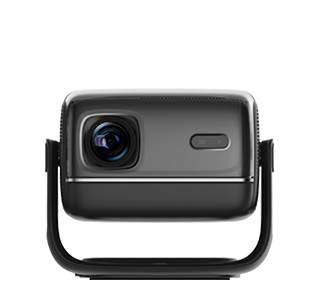
Insufficient projector brightness is the most common problem that affects household viewing experience, especially in living room scenarios with ambient light. Insufficient brightness will lead to dark screen, blurred details, faded colors, and inability to present dark field details of movies, seriously reducing the large-screen audio-visual effect. This problem is caused by unreasonable equipment selection, incorrect parameter setting, improper use environment and equipment aging, and can be solved through environmental adjustment, parameter optimization and equipment maintenance in most cases.
The first and most effective solution is to optimize the use environment and match auxiliary equipment. The biggest cause of insufficient brightness in the living room is ambient light interference. Strong natural light during the day and bright indoor ceiling lights will offset the projector’s light source, making the screen dim. Users can install light-shielding curtains in the living room to block strong outdoor light during the day, and turn off part of the indoor high-brightness lights when watching movies, only retaining weak auxiliary ambient lights. At the same time, replacing the ordinary white wall with an anti-light projection screen can greatly improve the screen brightness and contrast. The anti-light screen can absorb ambient light and gather projector light source, effectively solving the problem of dim screen in bright environments.
Optimizing projector system parameters can also significantly improve the brightness performance. Many users keep the default factory parameters for a long time, resulting in low brightness power and unreasonable color matching. Users can enter the projector’s image setting interface, turn on the brightness enhancement mode, high dynamic range (HDR) mode and super clear image quality mode, appropriately increase the brightness, contrast and sharpness values, and appropriately reduce the saturation to avoid color distortion while brightening the screen. In addition, turn off energy-saving and eye-protection dimming functions, because these functions will automatically reduce the light source power and cause insufficient screen brightness.
Regular equipment maintenance is crucial to maintain stable projector brightness. The projector lens and light source window are easy to accumulate dust and oil stains after long-term use, which will block light transmission and reduce actual brightness. Users can gently wipe the lens with a professional lens cleaning cloth regularly to remove surface dust. For projectors with long service life, the light source bulb or laser module will age and decay, resulting in reduced luminous efficiency. If the brightness is still insufficient after environment adjustment and parameter optimization, it means the light source is aging, and the light source component needs to be replaced by professional after-sales personnel to restore the original high-brightness display effect.
Read recommendations:
HN30B Portable - HN Series Projector
Projector with Built-in System
High Contrast Projector





















 Reviewed:



