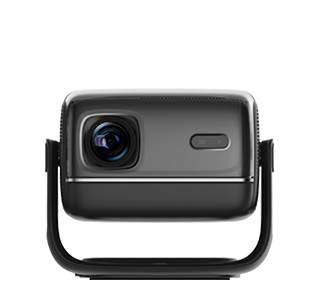
Fixed installation of office projectors is designed to provide a stable, long-term solution for meetings, presentations, and training sessions, ensuring that the device is always ready for use without the need for frequent setup. The primary step in fixed installation is selecting a suitable mounting location, which is usually the ceiling above the conference table or presentation area. This placement keeps the projector out of the way, avoids cable clutter on desks, and ensures that the image is projected centrally onto the screen, visible to all participants in the room. It is important to choose a ceiling mount that is compatible with the projector’s weight and size, as well as the ceiling type (concrete, drywall, etc.), to ensure safety and stability.
Cable management is another critical aspect of office projector fixed installation. Since the projector is mounted permanently, power cables, HDMI cables, and other connectivity cables need to be routed neatly through the ceiling or wall to avoid unsightly wires and reduce the risk of damage. Using cable covers or conduit can help organize the cables and maintain a professional appearance. Additionally, calibration is essential after installation to ensure the image is aligned correctly with the screen, with proper focus and brightness. Many office projectors come with features like lens shift and keystone correction to fine-tune the image, and it is recommended to test the projector with different presentation materials (slides, videos, documents) to ensure optimal visibility for all attendees. Regular maintenance, such as cleaning the lens and checking cable connections, is also necessary to keep the projector functioning smoothly in a busy office environment.
Read recommendations:
HW30 Home Cinema - HW Series Projector
Low Latency of Projector
Solutions for iPhone Projector Screen Mirroring Failure





















 Reviewed:



