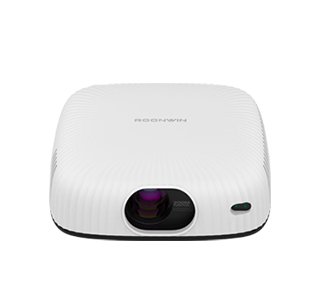
An office-use projector is a practical, reliable projection device tailored
to the needs of professional environments—including conference rooms, meeting
spaces, and small offices—with a focus on clear text display, easy setup and
operation, compatibility with business tools, and durability for regular use.
Unlike home entertainment projectors that prioritize color and contrast for
movies, office projectors excel at displaying presentations, spreadsheets, and
data visualizations, ensuring information is communicated clearly and
efficiently.
The core features of an office-use projector include high brightness for
well-lit rooms, sharp text optimization, versatile connectivity, and
user-friendly operation. High brightness (3000-5000 ANSI Lumens) is essential
for office spaces, which often have large windows, overhead lights, or open
floor plans that let in natural light—dim projectors would result in washed-out
images, making text and charts unreadable. A brightness of 3500+ ANSI Lumens
ensures the projected image remains clear even in bright conference rooms,
allowing meetings to proceed without dimming lights (which can cause eye strain
or make note-taking difficult).
Sharp text optimization is a key differentiator for office projectors.
Unlike home projectors that focus on smooth video playback, office models are
calibrated to enhance the clarity of text—whether it’s small font sizes in a
spreadsheet, bullet points in a presentation, or fine details in a data chart.
This is achieved through features like keystone correction (automatic or manual,
to fix distorted images caused by off-center placement) and sharpness adjustment
tools, ensuring text edges are crisp and easy to read from the back of a large
conference room. Many office projectors also support WUXGA (1920×1200) or 1080p
resolution, which is ideal for displaying high-res business documents (e.g.,
detailed financial reports with multiple columns).
Versatile connectivity ensures compatibility with common office devices:
multiple HDMI ports (to connect laptops, desktop computers, or video
conferencing systems like Zoom Rooms), USB ports (for direct playback of
presentation files from flash drives or to charge devices), and wireless
connectivity (AirPlay, Miracast, or business-specific software like Barco
ClickShare) allow seamless integration into existing office setups. For video
conferencing, some office projectors include built-in webcams or compatibility
with external cameras, enabling hybrid meetings where remote attendees can see
the projected presentation and in-person participants.
User-friendly operation is critical for busy office environments, where
multiple employees (with varying technical skills) may use the projector.
Features like one-touch startup/shutdown (projectors are ready to use in 30
seconds or less), remote control with intuitive buttons (for adjusting volume,
brightness, or input), and automatic input detection (the projector switches to
the connected device automatically) reduce setup time and minimize technical
issues. Some models also include presentation mode presets (e.g., "Text Mode"
for slideshows, "Data Mode" for spreadsheets) that optimize image settings with
a single button press, eliminating the need for manual adjustments.
In practical office scenarios, office-use projectors streamline
communication. A small team meeting uses a compact office projector (e.g., BenQ
MS560, 3600 ANSI Lumens) to display a project timeline—its sharp text
optimization ensures everyone can read task deadlines and responsible parties,
even sitting 10 feet away. A large conference room uses a high-brightness
projector (e.g., Epson EB-5050, 5000 ANSI Lumens) with wireless
connectivity—executives connect their laptops via Miracast to present quarterly
financial results, and the projector’s compatibility with the room’s video
conferencing system allows remote team members to follow along. For businesses
of all sizes, an office-use projector is an essential tool for efficient,
effective communication in meetings and presentations.
Read recommendations:
HW45 Home Cinema - HW Series Projector
How Long is the Lifespan of a Projector?
High-Definition Projector Recommendations





















 Reviewed:



