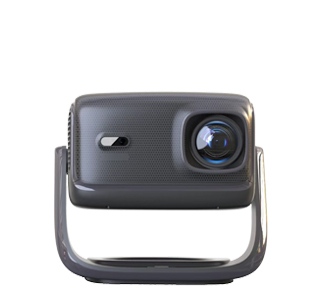
Online shopping for projectors is convenient and cost-effective, but due to the inability to check the physical machine in advance, problems such as defective products, second-hand refurbished machines, and inconsistent goods are frequent, making strict receiving and inspection a necessary link to protect rights and interests. The first key point of online inspection is to check the integrity of the outer packaging and sealing before signing for receipt. Regular brand new projectors are equipped with original intact sealing stickers on the outer box, with smooth and uniform sticker edges, no traces of tearing, secondary pasting and damage. If the outer packaging is deformed, worn, or the sealing sticker is wrinkled, broken and replaced, it indicates that the product may have been opened, returned or replaced, and consumers can directly refuse to sign for it.
After opening the package, it is necessary to check the completeness of the product accessories and the appearance of the body in detail. The new projector body has no scratches, wear marks, dust accumulation and use traces on the shell, lens and interface parts; the lens is smooth and clean without fingerprints, scratches and dust particles, and the heat dissipation holes have no internal dust accumulation. At the same time, check whether the accessories such as power cord, remote control, manual and warranty card are complete and original, and confirm that the product serial number on the body, outer box and warranty card is consistent. Inconsistent serial numbers are a typical feature of parallel imported machines and refurbished machines, which will affect subsequent after-sales warranty services.
The most critical inspection link is the on-site power-on test. First, turn on the machine to check whether the boot speed is normal, whether there is abnormal noise, jitter and black screen failure. Then test the projection function: adjust the focus and keystone correction to observe whether the screen is clear and uniform, whether there are bad points, bright spots, dark spots and color cast on the screen. Next, test basic functions such as WiFi connection, Bluetooth matching, video playback and sound output to ensure that all functional modules work normally. Finally, record the boot test video completely as evidence. If any quality problem or abnormal trace of use is found, apply for return and exchange and rights protection in a timely manner with the video evidence to avoid economic losses caused by overdue rights protection.
Read recommendations:
HW40 Home Cinema - HW Series Projector
Projector WiFi Screen Mirroring
Projector Wireless Screen Mirroring





















 Reviewed:



