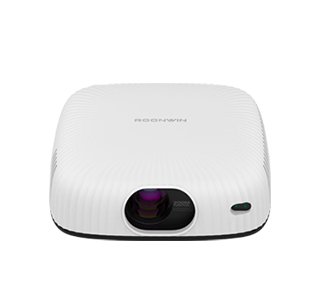
The read speed of an external hard drive connected to a projector is a key factor that determines how smoothly large media files (such as 4K movies, high-definition videos, or large presentation files) can be played back without buffering, lag, or stuttering. Projectors often have USB ports (USB 2.0, USB 3.0, USB 3.1, or USB 4) that allow users to connect external hard drives directly, enabling convenient playback of local media files without the need for a computer or streaming device. The read speed of the external hard drive, along with the projector’s USB port speed and file format compatibility, directly impacts the playback experience.
The read speed of external hard drives varies significantly based on the type of drive (HDD vs. SSD) and the interface used. Traditional mechanical hard drives (HDDs) typically have a read speed ranging from 50 MB/s to 150 MB/s, which is sufficient for playing standard-definition (SD) or high-definition (HD) videos (1080p), but may struggle with 4K or 8K videos, which require higher data transfer rates. In contrast, solid-state drives (SSDs) offer much faster read speeds, ranging from 200 MB/s to 3800 MB/s (for high-end models like the SanDisk E82 PSSD), making them ideal for playing large, high-resolution media files. For example, a 4K video file typically requires a read speed of at least 100 MB/s to play smoothly, so an SSD with a read speed of 500 MB/s or higher will ensure seamless playback, even for the largest files. The interface of the external hard drive also affects read speed; USB 3.0 (also known as SuperSpeed USB) has a maximum transfer rate of 5 Gbps (625 MB/s), while USB 3.1 Gen 2 offers 10 Gbps (1250 MB/s), and USB 4 supports up to 40 Gbps (5000 MB/s), as noted in Seagate’s technical documentation.
Several other factors can affect the actual read speed experienced when connecting an external hard drive to a projector. First, the projector’s USB port speed is a limiting factor; if the projector only has a USB 2.0 port (maximum transfer rate of 480 Mbps, or 60 MB/s), even a fast SSD will be limited to the port’s maximum speed. Therefore, it is important to check the projector’s USB port specifications before purchasing an external hard drive. Second, the file system of the external hard drive can impact read speed; FAT32 is compatible with most projectors but has a 4GB file size limit, while NTFS and exFAT support larger files and offer better performance. Third, the size and type of files being played back matter; transferring small files (such as photos or documents) will have lower read speeds compared to large, contiguous files (such as full-length movies). Additionally, the age and condition of the external hard drive can affect read speed; older HDDs may experience slower speeds due to wear and tear, while SSDs have no moving parts and maintain consistent speeds over time. To ensure optimal read speed, it is recommended to use a high-speed SSD with a USB 3.0 or higher interface, paired with a projector that supports the same interface, and format the drive to a file system that supports large files. This combination will ensure that even the largest media files are played back smoothly, without buffering or lag.
Read recommendations:
HI Gift Customization - HI Series Projector
Flexible Adjustable Projector Stands
Complete machine Projector OBM





















 Reviewed:



