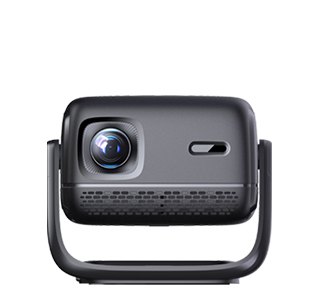
A projector that supports WiFi connectivity is a wireless projection device that can connect to a local WiFi network or directly to WiFi-enabled devices (like smartphones, laptops, or tablets)—eliminating the need for physical cables (HDMI, USB) and enabling flexible, cable-free content streaming. Unlike wired projectors, which restrict placement to the length of cables, WiFi-enabled projectors offer greater flexibility in installation and use, making them ideal for homes, small offices, classrooms, or any space where cable clutter is unwanted.
WiFi support in projectors typically includes two connection modes: infrastructure mode and direct mode (WiFi Direct). In infrastructure mode, the projector connects to a home or office WiFi network, allowing multiple devices on the same network to stream content to the projector—for example, a family can connect their smartphones, tablets, and laptops to the home WiFi and take turns projecting movies or photos. In direct mode, the projector creates its own WiFi hotspot (no external network required), allowing devices to connect directly to the projector—perfect for outdoor use (like camping) or spaces without a WiFi network, where users can project content without relying on external infrastructure.
Key functionalities enabled by WiFi include wireless content streaming: users can stream videos, presentations, photos, or web content from their devices to the projector using built-in apps (like Netflix, YouTube) or screen mirroring (e.g., Apple AirPlay, Google Cast, Miracast). Many WiFi projectors also support cloud content access, allowing users to stream content from cloud storage services (Google Drive, Dropbox) directly to the projector, without needing to download files to a local device. For collaborative environments like small offices, WiFi enables multi-user access—multiple team members can connect their laptops to the projector and switch between presenters seamlessly, without unplugging cables.
Practical advantages of a WiFi-enabled projector include flexibility, convenience, and reduced clutter. In homes, the projector can be mounted on a ceiling or placed on a shelf anywhere in the room, without being limited by cable length. In classrooms, teachers can move freely around the room while projecting content from a tablet, instead of being tied to a wired laptop. Additionally, WiFi simplifies setup—users can connect devices in seconds, compared to the time needed to plug in and secure cables. Most WiFi projectors also include companion mobile apps that let users control the projector (adjust volume, change inputs, navigate menus) from their smartphones, adding another layer of convenience.
Considerations for using a WiFi projector include signal strength and bandwidth. The projector should be placed within range of the WiFi router (typically 10–30 meters, depending on obstacles like walls) to avoid signal drops. For streaming high-definition content (4K videos), a high-speed WiFi connection (5GHz band, instead of 2.4GHz) is recommended to prevent buffering. Some older devices may not support modern wireless standards (like 802.11ac), so users should check compatibility before purchasing. Despite these considerations, the convenience of wireless projection makes WiFi support a highly sought-after feature. For anyone seeking a flexible, cable-free projection experience, a WiFi-enabled projector is the perfect solution.
Read recommendations:
HW30 Home Cinema - HW Series Projector
Solutions to Blurry Projector Images
Projector Screen Compatibility





















 Reviewed:



