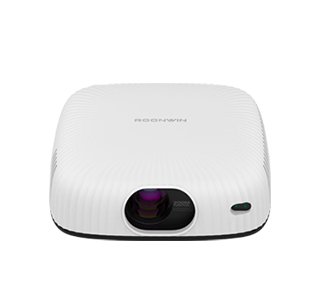
Projectors supporting digital zoom operation allow users to adjust the image size by cropping and enlarging a portion of the projected image—using software to “zoom in” on the center of the image without physical lens movement. Unlike optical zoom (which preserves resolution), digital zoom reduces image quality by stretching fewer pixels to fit the screen, but it offers a cost-effective, space-saving solution for scenarios where minor quality tradeoffs are acceptable (e.g., casual TV watching, small office presentations).
The technology behind digital zoom is straightforward: 1) Image Cropping: When digital zoom is activated, the projector crops the outer edges of the native image (e.g., a 1080p image has 2,073,600 pixels). For a 2x digital zoom, it crops to the center ¼ of the image (518,400 pixels) and discards the rest. 2) Pixel Enlargement: The cropped portion is then enlarged to fit the original screen size—using interpolation algorithms to fill in missing pixels. Basic algorithms (e.g., nearest-neighbor) can create pixelation, while advanced algorithms (e.g., bilinear interpolation) smooth the image for a more natural look, though they cannot restore the lost detail. Most projectors offer digital zoom ranges of 1.1x to 4x, with higher zoom levels resulting in more significant quality loss.
Digital zoom is useful for specific scenarios: 1) Fine-Tuning Image Position: If the projector is slightly off-center, digital zoom can crop the edges to center the image without keystone correction (e.g., zooming in 10% to eliminate a dark edge from an uneven wall). 2) Small-Space Projection: In tiny rooms (e.g., dorm rooms), digital zoom allows users to reduce the image size without moving the projector closer to the wall—for example, a projector placed 8 feet from the wall might project a 100-inch image by default, but digital zoom can shrink it to 80 inches for a better fit. 3) Cost Savings: Projectors with only digital zoom are typically cheaper than those with optical zoom, making them accessible for budget-conscious users.
A student using a budget digital zoom projector noted that for streaming Netflix shows, a 1.2x digital zoom caused minimal noticeable quality loss, and it allowed them to fit the image perfectly on a small dorm wall. However, for 4K movies or detailed presentations, they avoided digital zoom to preserve sharpness. For casual users who prioritize affordability and basic flexibility, digital zoom offers a practical way to adjust image size without the added cost of optical zoom components.
Read recommendations:
HN30A Portable - HN Series Projector
Shockingly High-Quality Image Projector
compact low noise projector





















 Reviewed:



