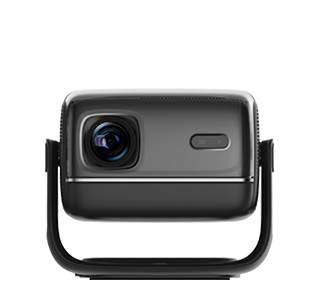
Projectors with touch operation functionality bring a new level of interactivity and user - friendliness, allowing users to directly interact with the projected content using touch gestures, much like on a touchscreen smartphone or tablet. This innovative feature transforms the projector from a passive display device into an interactive platform, opening up new possibilities for various applications.
The touch operation in projectors is typically achieved through technologies such as infrared (IR) touch, capacitive touch, or optical touch. Infrared touch systems use an array of infrared sensors around the projection area. When a user touches the projected screen, the infrared beams are interrupted, and the position of the touch is detected. Capacitive touch, similar to that used in smartphones, relies on the electrical properties of the human body to detect touch. Optical touch systems use cameras to detect the position of objects or fingers that come into contact with the projected surface. Each technology has its own advantages in terms of accuracy, responsiveness, and cost.
With touch operation functionality, projectors can be used in a wide range of applications. In educational environments, it enables a more interactive learning experience. Students can directly interact with educational software projected on the screen, such as answering questions, manipulating 3D models, or participating in group activities. Teachers can also use touch gestures to navigate through presentations, highlight important points, and annotate on the projected content in real - time.
In the business world, touch - operated projectors enhance the effectiveness of presentations. Presenters can use touch gestures to zoom in on details, swipe through slides, and interact with interactive charts and graphs, making the presentation more engaging and dynamic. For creative professionals, such as designers and artists, touch - operation projectors allow for direct drawing and editing on the projected canvas, providing a more natural and intuitive way to create digital art or design projects.
Moreover, the user interface of touch - operated projectors is often designed to be intuitive and easy to navigate. Users can access menus, settings, and applications with simple touch gestures, reducing the learning curve and making the projector accessible to users of all ages and technical backgrounds. Overall, projectors with touch operation functionality offer a more immersive, interactive, and user - centric experience, expanding the potential applications of projection technology in various fields.
Read recommendations:
HW40 Home Cinema - HW Series Projector
Wireless Screen Mirroring Projectors
250 Lumen Wireless Projector Compatible with iPhone & Android





















 Reviewed:



