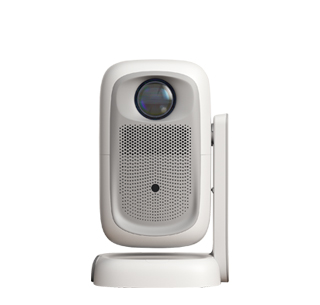
Connecting a tablet to a projector is an excellent way to expand the tablet’s functionality, turning it into a portable presentation tool or a home entertainment hub. Tablets, with their large touchscreens and powerful processing capabilities, are ideal for running presentations, playing educational videos, or streaming movies, and projecting their content onto a larger screen enhances the viewing and sharing experience. Similar to phone投屏, tablets can connect to projectors via wireless or wired methods, with each method offering distinct benefits based on the user’s needs.
Wireless connection is the most popular choice for tablets, as it allows for easy mobility and avoids the hassle of cables. Most modern tablets support wireless screen mirroring through technologies like AirPlay (for iOS tablets) or Miracast (for Android tablets). To connect wirelessly, first ensure the tablet and projector are on the same Wi-Fi network. On the projector, enable screen mirroring mode, which will make it visible to nearby devices. On the tablet, access the control center or settings, locate the screen mirroring or casting option, select the projector from the list of detected devices, and confirm the connection. Once established, the tablet’s entire screen will be mirrored on the projector, allowing users to control the content directly from the tablet.
Wired connection is a more reliable alternative, especially for professional settings where stability and image quality are crucial. To connect a tablet to a projector via a wire, you will need an adapter that is compatible with the tablet’s port (e.g., USB-C, Lightning) and the projector’s input port (usually HDMI). Connect the adapter to the tablet, then use an HDMI cable to link the adapter to the projector. After connecting, the projector will automatically switch to the corresponding input source, and the tablet’s display will be projected. Some tablets may require adjusting the display settings to ensure the content is properly scaled to fit the projector’s screen. Wired connections are also beneficial in environments with weak or no Wi-Fi, as they do not rely on wireless signals and provide a consistent connection.
Read recommendations:
HW40 Home Cinema - HW Series Projector
Projectors for Home Theater Setup
Projectors Suitable for Outdoor Camping





















 Reviewed:



