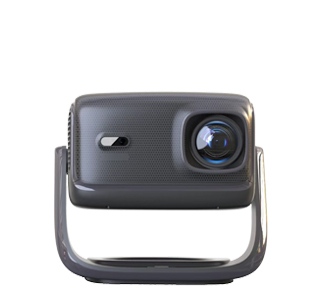
Wireless network projectors, also known as wireless screen mirroring projectors, have transformed how we share content by eliminating the need for cumbersome cables (such as HDMI, USB, or VGA) and enabling seamless connectivity with smartphones, tablets, laptops, and smart TVs. These projectors leverage a variety of wireless technologies to transmit content, making them ideal for environments where cable management is difficult—such as large conference rooms, classrooms, or living rooms—or where portability is key, such as outdoor movie nights or mobile presentations. By simplifying content sharing, wireless network projectors allow multiple users to switch between devices quickly, enhancing collaboration and productivity in professional settings and convenience in home use.
The core of wireless network projectors lies in their diverse connectivity options, which support different devices and platforms. Most models integrate Wi-Fi (including the latest Wi-Fi 6 technology), Bluetooth, Miracast, AirPlay (for Apple devices), and Chromecast (for Android and Windows devices) to ensure compatibility with nearly any device. Wi-Fi 6 (802.11 ax) offers faster transmission speeds (up to 9.6 Gbps), lower latency (less than 20 ms), and support for up to 100 concurrent connections—critical for busy conference rooms or classrooms where multiple users need to share content simultaneously. Miracast enables direct screen mirroring for Android and Windows devices without a Wi-Fi network, while AirPlay allows Apple users to stream 4K video and audio with a single tap. Bluetooth is primarily used for connecting wireless speakers or headphones, enhancing the audio experience without additional cables.
Ease of use is a top priority for wireless network projectors. Many models feature a “one-touch mirroring” button on the remote or projector body, launching the wireless connection with a single press. Dedicated apps (such as Epson iProjection or BenQ Smart Control) guide users through pairing, allow remote control of the projector, and enable content sharing from cloud storage services like Dropbox or Google Drive. For enterprise use, these projectors often support integration with room booking systems (e.g., Microsoft Teams Rooms), automatically connecting the presenter’s device when they enter the room. Additionally, wireless network projectors maintain high image quality, supporting full HD or 4K resolution with HDR, ensuring that wireless streaming does not compromise clarity or color accuracy. Whether used for business presentations, classroom lectures, or home entertainment, wireless network projectors offer the flexibility, convenience, and connectivity that modern users demand, making them an essential tool for seamless content sharing.
Read recommendations:
HN30B Portable - HN Series Projector
daylight Projector solution
Projectors for Eye Protection





















 Reviewed:



