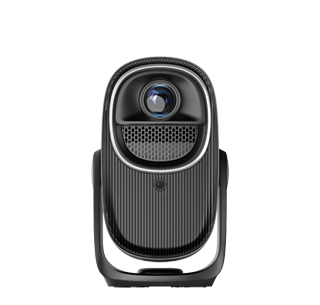
Nearly all modern household and commercial projectors support connecting to external audio speakers through multiple wired and wireless connection methods, and connecting professional external speakers has become the mainstream way to significantly improve home viewing sound experience, because the built-in speakers of most projectors have obvious functional limitations in sound quality, volume and sound field performance. Limited by the ultra-thin fuselage design and internal heat dissipation layout, the built-in speakers of projectors are usually small-sized single-channel or dual-channel miniature speakers. Affected by the narrow internal resonance space, the built-in speakers can only output medium and high-frequency sounds normally, and the bass part is seriously missing, resulting in thin, hollow sound, insufficient dynamic sense and weak sound field wrapping. When watching action movies, blockbuster films and competitive sports events, the explosion sound, background music and surround sound effects cannot be accurately restored, which greatly reduces the immersive viewing experience. Connecting external speakers such as desktop audio, Bluetooth soundbars, home theater surround speakers and portable outdoor speakers can perfectly make up for the sound defect of the projector itself and realize high-fidelity audio playback.
Wired connection is the most stable and lossless audio transmission way between projectors and speakers, which is divided into three common connection interfaces: 3.5mm audio headphone jack, HDMI ARC interface and optical fiber audio interface. The 3.5mm audio jack is the most universal audio output interface, which is equipped on almost all entry-level and mid-range projectors. Users only need to prepare a 3.5mm audio auxiliary cable, insert one end into the projector’s headphone audio output port and the other end into the audio input port of the active speaker, and the projector will automatically switch the audio output signal from the built-in speaker to the external speaker. The HDMI ARC interface is suitable for users who have home theater soundbars and high-definition playback devices. After connecting the projector and the speaker with an HDMI ARC high-definition cable, the audio signal can be transmitted reversely while realizing video signal transmission, which simplifies the wiring layout of the home audio-visual system. The optical fiber audio interface can transmit lossless digital audio signals, which supports multi-channel surround sound formats, and is the best choice for users who pursue professional Hi-Fi sound quality and 5.1-channel home theater systems.
Wireless Bluetooth connection is the most convenient connection method for portable speakers and modern smart soundbars, which avoids the trouble of complicated wiring and messy desktop layout. Most smart projectors are built with Bluetooth audio transmitting modules; users only need to turn on the Bluetooth pairing mode of the external speaker, search for the corresponding Bluetooth device name on the projector’s system audio setting page, and complete pairing connection with one click. After successful pairing, all audio played by the projector, including movie soundtrack, online video sound and system background sound, will be synchronously transmitted to the Bluetooth speaker for playback. It should be noted that Bluetooth transmission will have slight audio delay in some low-cost projectors and speakers. When watching videos and playing games, audio and picture may be out of sync. At this time, users can adjust the audio delay parameter in the projector’s sound setting interface to calibrate the synchronization of sound and picture. In addition, some projectors support Wi-Fi audio connection and AirPlay audio casting functions, which can also realize wireless audio output to smart speakers. Whether wired or wireless connection, users can turn off the projector’s built-in speaker in the sound settings to avoid dual sound source superposition causing sound distortion and echo interference.
Read recommendations:
HN30B Portable - HN Series Projector
HDR Function of Projector Screens
Active Shutter 3D 1080P Projector with HDR10 Support





















 Reviewed:



