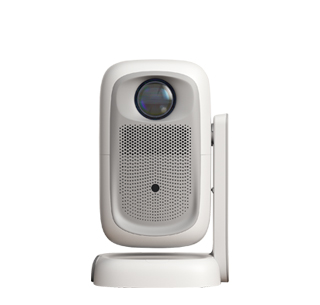
Blurry images at the four corners of the projected picture while the central area remains clear is one of the most common faults in the daily use of projectors, which is mainly caused by optical hardware characteristics, incorrect placement position, improper focusing adjustment and lens aging pollution. From the perspective of optical principle, almost all ordinary household projectors adopt fixed-focus or short-focus zoom lenses with limited optical distortion correction ability. The lens has the clearest imaging plane at the central optical axis position. The farther the image position deviates from the center to the four corners of the projection screen, the longer the optical refraction path will be, and the more obvious the spherical aberration, astigmatism and edge distortion will occur. Even high-end projectors with built-in digital keystone correction function can only correct the geometric trapezoidal deformation of the picture, but cannot completely eliminate the inherent optical edge blurring caused by lens physical characteristics. Especially when users use large-range vertical and horizontal four-point keystone correction to adjust the picture frame, the projector will compress and stretch the edge pixels through digital algorithms, which will further lead to the sharpness decline of the four corners and make the corner picture appear fuzzy and jagged.
Improper placement and installation of the projector is the main artificial factor leading to obvious blurring of the four corners of the image. The standard projection requirement is that the lens center of the projector must be kept parallel and perpendicular to the projection curtain or wall, and the projector body should be placed horizontally without front, back, left or right tilt. If the user raises the front foot pad of the projector too high, or places the projector on an inclined desktop, the lens will tilt upward, leftward or rightward relative to the projection surface. At this time, the distance from the projector lens to the four corners of the screen is inconsistent, and the focal plane cannot cover the whole picture synchronously. When you focus the central picture clearly through the focus ring, the four corners are in the defocus state naturally. Many users habitually place the projector on the side of the desktop instead of the front center of the curtain, and use horizontal trapezoidal correction to pull the picture to the center position. This wrong operation will greatly amplify the edge blurring degree of the four corners, and the larger the trapezoidal correction range, the more serious the corner blur will be. Ceiling-mounted projectors also need to ensure horizontal calibration during installation; if the hanger is installed askew, the four-corner blur problem will continue to exist.
Dust pollution on the projector lens, aging of the focusing lens group and improper zoom adjustment will further aggravate the fuzzy phenomenon of the four corners. After long-term use, a layer of dust, oil mist and fine particles will adhere to the edge area of the projector lens. The central area of the lens is often wiped accidentally, while the four-edge part is ignored. The uneven dirt on the lens will lead to inconsistent light transmittance between the center and the edge, resulting in the four-corner picture being hazy and blurred. Users can use professional lens cleaning paper to gently wipe the lens surface to remove surface dust and oil stains, which can appropriately improve the edge sharpness. For zoom projectors, if the user blindly adjusts the zoom ring to project an oversized picture beyond the lens’ optimal imaging range, the edge optical distortion will increase sharply. It is recommended to adjust the zoom parameter within the optimal projection size range marked by the official factory. If the four-corner blur still cannot be relieved after optimizing placement, reducing keystone correction range and cleaning the lens, it may be caused by internal lens group displacement, loose focusing gear or lens aging damage. At this time, users need to send the projector to the official after-sales maintenance center for optical calibration and lens inspection, so as to fundamentally repair the hardware-induced four-corner blurring failure.
Read recommendations:
HN30A Portable - HN Series Projector
High - Definition Office Projectors
How to Set and Fix Projector Color Deviation Issues





















 Reviewed:



