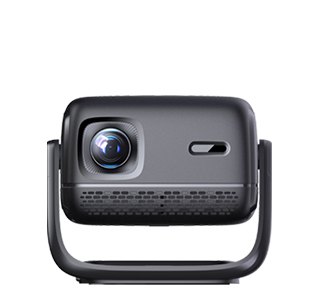
The motherboard is the core control component of the projector, undertaking signal reception, data processing, hardware scheduling, and system operation functions. Almost all abnormal phenomena such as startup failure, no image output, system crash, and interface failure are closely related to motherboard faults. Projector motherboard failures are mainly divided into three categories: circuit aging and short circuit, chip damage and solder joint desoldering, and system program failure. Different fault types correspond to targeted maintenance schemes, which can accurately locate and solve problems while avoiding unnecessary component replacement and maintenance costs. Daily unstable power supply, long-term high-temperature operation, dust accumulation and moisture invasion are the main inducements of motherboard faults, so maintenance and daily protection need to be combined fundamentally.
For basic circuit and power supply faults of the motherboard, which are the most common and easily solved problems, the main symptoms include no response when powered on, automatic shutdown after startup, and flickering screen. First, inspect the power supply circuit of the motherboard, detect whether the power interface is loose, whether the fuse is blown, and whether the power management chip has burnout marks. For fuse damage, replace the fuse of the same specification directly; for loose interface welding, use professional welding equipment to re-solder and fix the interface. In addition, long-term dust accumulation on the motherboard will cause circuit short circuit and poor heat dissipation. Users and maintenance personnel can use pure alcohol and dust-free cotton cloth to clean the motherboard dust, and check for rust and oxidation on the circuit contacts, polish and repair the oxidized parts to restore normal circuit conduction.
For core chip and solder joint faults, the symptoms are complex, including system random crash, inability to identify signal sources, and blurred screen display. Most of these faults are caused by long-term vibration and high-temperature thermal expansion and contraction, which lead to solder joint desoldering of main control chip, memory chip and decoding chip. Professional maintenance personnel can use a hot air gun to reflow the chip solder joints and fill the missing solder points. For burnt and damaged chips that cannot be repaired by re-soldering, it is necessary to replace the original matching chip according to the projector model. For program failure faults such as motherboard firmware corruption and program loss, which cause startup logo stuck and system unable to load, the solution is to brush the official original firmware, rewrite the motherboard program, and repair the damaged system data.
After the motherboard maintenance is completed, a comprehensive test is required. Conduct continuous power-on operation test for 2-4 hours to observe whether there are abnormal phenomena such as automatic shutdown and crash, test all signal input interfaces and voice control functions to ensure normal operation of all modules. At the same time, do a good job in subsequent protection: place the projector in a dry and ventilated environment, avoid long-term overload operation, and regularly clean internal dust to extend the service life of the motherboard and prevent secondary faults.
Read recommendations:
HW40 Home Cinema - HW Series Projector
Smart Remote Control Projector
Is Projector Maintenance Convenient?





















 Reviewed:



