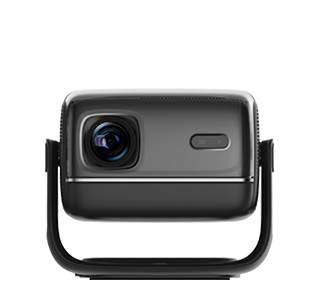
The projector lens is a precision optical component coated with a special anti-reflection and anti-fouling coating on the surface, which is extremely vulnerable to irreversible scratches, coating peeling, and light transmission damage if cleaned improperly. Many users mistakenly use common household cleaning tools such as paper towels, ordinary cotton cloth, and wet wipes to wipe the lens. The fine wood pulp fibers in paper towels and the hard particles on ordinary cloth will leave tiny scratches on the lens surface, resulting in blurred projection images, reduced light transmittance, and scattered light spots. In addition, using alcohol, detergent, and other chemical solutions for cleaning will corrode the special optical coating, causing coating fading, peeling, and permanent color cast of the picture. Therefore, mastering standardized cleaning methods is essential to protect the projector lens.
The standardized lens cleaning process is divided into three key steps: dust removal, decontamination, and dry maintenance, with strict requirements for tools and operations. First, before cleaning, turn off the projector and cut off the power supply, and wait for the lens to completely cool down to avoid thermal expansion and contraction damage caused by contact with cold cleaning tools. Use a professional optical air blower to blow away floating dust and fine particles on the lens surface. Do not blow directly with your mouth to prevent saliva from splashing on the lens and forming water stains. Second, prepare professional optical lens cleaning fluid and sterile microfiber lens cloth, which are soft, dust-free, and scratch-free, specially designed for precision optical components.
During formal cleaning, spray a small amount of cleaning fluid on the lens cloth instead of directly on the lens to prevent excess liquid from penetrating into the lens gap and corroding internal components. Wipe the lens gently in a clockwise circular motion with minimal force, and wipe repeatedly until stains, fingerprints, and oil stains are completely removed. After wiping, let the lens air dry naturally in a dust-free environment, and do not wipe dry with other tools. For stubborn hard stains that cannot be removed by conventional wiping, do not scrape them with hard tools. It is necessary to send the equipment to an official maintenance center for professional deep cleaning. In daily maintenance, cover the lens with a protective cover when the projector is not in use to reduce dust accumulation and frequency of cleaning, effectively avoiding lens damage.
Read recommendations:
HN30A Portable - HN Series Projector
250 Lumen LED Portable Projector
Parameter Selection to Avoid Poor Image Quality of Projector Side Projection





















 Reviewed:



