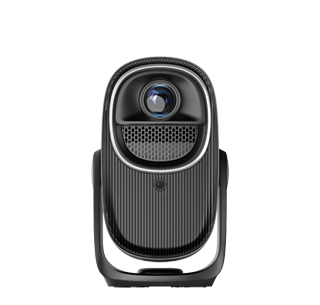
The core principle for selecting a commercial integrated projector system
is "matching parameters to scenarios and balancing performance with cost". It is
necessary to make a comprehensive judgment based on usage scenarios, content
requirements, budget input and long-term operating costs, avoiding the pitfalls
of "false parameter labeling" and "redundant functions". The following breaks
down the selection logic from core dimensions to help you accurately lock in a
suitable solution.
I. Determine the Scenario First: Anchor the Baseline of Core Needs
Differences in commercial scenarios directly determine the direction of
system configuration. It is essential to first clarify the core usage conditions
before selecting corresponding parameters.
1. Space and Ambient Light Conditions
Space area and ambient light intensity are key bases for brightness
selection, preventing the screen from being "washed out" under strong light or
excessive brightness in low light. Brightly lit open exhibition halls (ambient
light: 500-800 lux) and large meeting rooms should prioritize high-brightness
models; audio-visual rooms with good shading and small negotiation rooms can
appropriately lower brightness standards to balance visual comfort and energy
consumption. Meanwhile, pay attention to on-site installation conditions:
embedded engineering projectors are suitable for fixed usage scenarios, while
portable models (weight ≤ 5kg) are preferred for mobile scenarios.
2. Content Presentation Requirements
Static content (PPTs, design drafts, engineering drawings) focuses on
resolution and color reproduction, while dynamic content (video promotions,
interactive demonstrations) emphasizes response speed and contrast. Professional
design and art exhibitions require high color gamut (DCI-P3 95%+) and high color
accuracy (ΔE < 1); ordinary business presentations only need 1080P native
resolution and sRGB 90%+ color gamut; large giant screen displays (≥ 8 meters)
require consideration of multi-projector splicing compatibility to ensure
uniform images without dark bands.
3. Usage Frequency and Cycle
High-frequency demand scenarios (annual usage ≥ 2000 hours, such as daily
meeting rooms) require long-life light sources (laser/LED with a lifespan of
over 30,000 hours) to reduce maintenance costs; low-frequency activity scenarios
(annual usage ≤ 500 hours, such as annual meetings and temporary exhibitions)
can adopt bulb projectors or rental solutions to control initial investment.
II. Scrutinize Parameters: Avoid Marketing Traps and Precisely Match
Performance
The core parameters of a commercial projector system determine the user
experience. It is necessary to distinguish between "real performance" and
"marketing concepts" and focus on the following indicators:
1. Brightness: Focus on "Effective Light Output"
Prioritize models marked with "ISO lumens" (complying with the ISO
21118:2012 standard) and avoid being misled by "peak brightness" — peak
brightness is only the laboratory limit value, which will attenuate by 30%-50%
in actual use. The required brightness can be accurately calculated using the
formula: Required Effective Brightness (ISO lumens) = (Site Area × Ambient Light
Intensity × Reflectivity Coefficient) ÷ 0.85 + 500 (redundancy value). Among
them, the reflectivity of white walls is 0.7-0.8, professional screens is
0.9-1.0, and the lens light efficiency loss coefficient is fixed at 0.85.
Typical scenario references: A 30㎡ ordinary meeting room (ambient light:
200-300 lux) requires 3800-4200 ISO lumens; a 50㎡ open exhibition hall (ambient
light: 400-800 lux) requires ≥ 4800 ISO lumens; a large exhibition hall over 80㎡
requires ≥ 7500 ISO lumens, which can be paired with a multi-projector splicing
solution.
2. Resolution and Display Technology: Adapt to Content Attributes
For resolution, recognize "native resolution" and reject interpolated
resolution (pixel amplification easily causes blurred text). 1080P (1920×1080)
is suitable for ordinary business, 4K (3840×2160) for professional design and
video display, and ultra-large giant screens require PPI ≥ 15 (to avoid
blurriness when viewed from a distance).
Mainstream display technologies have their own applicable scenarios: DLP
XPR technology has fast response speed (≤ 1ms) and no rainbow effect, making it
suitable for dynamic content and multi-projector splicing; 3LCD technology
offers natural color transitions and wide color gamut coverage, ideal for static
details and accurate color display; the emerging FSHD technology has high energy
efficiency and significant color gamut breakthroughs, suitable for
cost-effective cross-scenario use.
3. Auxiliary Parameters: Ensure User Experience
Contrast: A static contrast ratio of ≥ 1,000,000:1 meets business
presentation needs, and a dynamic contrast ratio of ≥ 5,000,000:1 is suitable
for video content, preventing loss of dark details.
Light Source Type: Laser light sources have long lifespans and stable
colors, suitable for long-term commercial use; LED light sources have low power
consumption, ideal for portable scenarios; bulb light sources have low costs,
suitable for temporary use.
Noise and Heat Dissipation: Noise should be controlled below 40dB for
meeting rooms and exhibition halls, and below 35dB for audio-visual rooms.
Prioritize models with liquid cooling or intelligent speed-regulating fans.
Interfaces and Compatibility: Equipped with HDMI 2.1, USB-C and other
interfaces, supporting wireless screen projection, multi-device linkage, and
compatible with video conference systems and central control equipment.
III. Cost Trade-off: Rent or Buy?
Choose the cooperation model based on usage frequency and budget to achieve
optimal cost efficiency:
1. Rental Solution: Suitable for Low-Frequency Scenarios
Rental is recommended for scenarios with annual usage ≤ 500 hours, limited
budgets or variable needs (such as temporary exhibitions and annual meetings).
Its advantages lie in low initial costs (monthly rent is 1/5-1/3 of the purchase
price), with maintenance, fault repair and equipment updates undertaken by the
service provider, eliminating depreciation risks. Before renting, confirm that
the service provider offers backup machines, full-cycle cost calculation sheets,
and clarify maintenance response time.
2. Purchase Solution: Suitable for High-Frequency Scenarios
Purchase is advisable for scenarios with annual usage ≥ 2000 hours and
stable needs (such as fixed meeting rooms and long-term exhibition halls).
Long-term use can amortize costs, and customized installation (fixed brackets,
connection to central control systems) is available. Laser models have a
residual value rate of about 30%-40% after 3 years, with better value retention
than bulb projectors. When purchasing, consult the manufacturer's after-sales
policy to confirm light source replacement costs and warranty period.
IV. Practical Verification: Avoid Selection Deviations
Whether renting or buying, verify equipment performance through practical
operations before deployment:
1. Brightness Verification: Use a photometer (or high-precision mobile app)
to take measurements at the center and four corners of a 100-inch screen.
Calculate the actual effective brightness using the formula "Measured Effective
Brightness = Average Illuminance × Screen Area ÷ 0.85" — a deviation of ≤ ±5%
from the labeled value is considered qualified.
2. Image Quality Testing: Play static design drafts to check text edge
clarity, play dynamic videos to observe for motion blur, and switch between
light and dark scenes to verify contrast performance.
3. Compatibility Testing: Connect common equipment (computers, video
conference terminals) to test screen projection stability, audio-visual
synchronization, and central control command response speed.
In summary, there is no "one-size-fits-all" solution for selecting a
commercial integrated projector system, only the "most suitable" one. By first
anchoring scenario and content needs, then precisely matching core parameters,
and finally balancing costs based on usage frequency, you can lock in a solution
that balances cost-effectiveness and user experience.
Read recommendations:
HN30B Portable - HN Series Projector
High - Definition Coated Projector Lenses
Projectors Suitable for Outdoor Camping





















 Reviewed:



