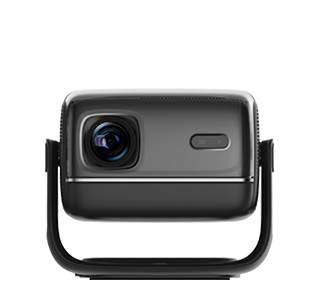
Shrinking the projector screen is a common operation when the projected image is too large for the display wall or screen, causing edge overflow or incomplete display. The most direct and effective method to reduce the projection screen size is to shorten the projection distance between the projector and the display surface. When you move the projector forward toward the projection wall or fixed screen, the light projection range of the lens will be narrowed, and the overall size of the projected picture will be significantly reduced. This physical adjustment method will not cause any loss of picture quality and is the preferred solution for shrinking the screen. It is suitable for all fixed-focus and zoom projectors, and the adjustment effect is the most stable and clear.
For users who cannot move the projector position due to space limitations or fixed wiring, using the projector’s built-in zoom function is the best alternative to shrink the screen. Almost all modern projectors are designed with a mechanical zoom function. Users only need to rotate the zoom adjustment ring on the projector lens counterclockwise or clockwise according to the device’s instructions, and the screen size will shrink steadily. Different projectors have different zoom ratios, generally ranging from 1.1x to 1.5x, which can meet the small-range screen shrinking needs of daily use. This method realizes screen size adjustment in situ without changing the device placement, which is very suitable for fixed installation scenarios such as offices and conference rooms.
Smart projectors also provide professional electronic screen shrinking functions to meet precise size adjustment needs. In the projector’s image setting menu, there are functions such as screen scaling, image cropping, and adaptive screen size. Users can manually reduce the image scaling percentage to shrink the overall picture size, and the excess projection area will be presented as a black border without affecting the normal display content. In addition, some projectors have a screen fitting function, which can automatically identify the boundary of the physical screen and shrink the projected picture to fully fit the screen range, avoiding picture overflow. It should be noted that long-term use of excessive electronic shrinkage will compress the image pixels and affect the picture fineness, so mechanical adjustment should be prioritized for large-range shrinking, and electronic adjustment for fine-tuning.
In special scenarios such as offset projection, trapezoidal correction can also assist in optimizing and shrinking the screen. If the projector is placed obliquely, the picture will be oversized and distorted. After using the four-point trapezoidal correction function to adjust the picture to a regular square, the overall screen size will be appropriately shrunk and more standardized. When shrinking the screen, users need to ensure that the picture is centered and the size is uniform on all sides, avoiding problems such as one-sided shrinkage and uneven picture, so as to obtain the best display effect.
Read recommendations:
HW30 Home Cinema - HW Series Projector
Projectors with Versatile Projection Sizes
Projector Cooling Fans





















 Reviewed:



