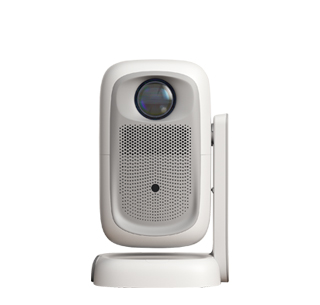
Mastering the complete usage method of a projector can help users give full play to the device's display performance and avoid operational errors that affect the use effect. The first step in using a projector is pre-installation and debugging, including position placement and hardware connection. First, select a flat and stable placement position, ensure that the projector lens is facing the projection wall or screen horizontally, and reserve a reasonable projection distance according to the required screen size. After placing the device stably, connect the power cord and plug it into a stable power socket. Then select the corresponding signal connection mode according to the playback device: connect computers, laptops or set-top boxes through HDMI cables, connect mobile phones and tablets through wireless screen casting, or use USB flash drives to directly play local video and picture files. After all connections are completed, check whether all interfaces are plugged in firmly to avoid signal interruption.
The second step is startup debugging and basic picture adjustment. Press the power button of the projector, and the device will start up automatically. After the startup is completed, the system will enter the default projection interface. At this time, first adjust the focus and zoom: slowly rotate the focus ring on the lens until the text and patterns on the screen are clear and sharp, then rotate the zoom ring to adjust the screen size to the appropriate range. If the picture is trapezoidal and distorted due to oblique placement, turn on the trapezoidal correction function in the system settings. Most smart projectors support automatic trapezoidal correction and automatic screen fitting, which can automatically correct the distorted picture into a regular square; old projectors need manual multi-angle fine-tuning to complete picture calibration.
The third step is function switching and parameter optimization during use. According to different usage scenarios, users can switch different picture modes in the projector system, such as movie mode, office mode, bright mode and eye-protection mode. The movie mode is suitable for home video watching with soft colors and high contrast; the office mode improves text definition and is convenient for PPT and document demonstration; the bright mode enhances screen brightness for use in bright environments with strong ambient light. In addition, users can adjust parameters such as brightness, contrast, saturation and sharpness according to the ambient light intensity. In dark environments, appropriately reduce brightness to protect eyes; in bright environments, increase brightness to ensure clear picture display.
The last step is shutdown and daily maintenance after use. After finishing using the projector, do not cut off the power directly. Press the power button to select the shutdown option, and the device will automatically enter the heat dissipation state. Wait for the fan to stop working and the indicator light to go out before unplugging the power cord, which can effectively protect the lens and motherboard from damage caused by sudden power failure. Usually, keep the projector lens clean, avoid dust accumulation affecting the projection definition, and place the device in a dry and ventilated environment to avoid moisture and dust, which can extend the service life of the projector.
Read recommendations:
HW40 Home Cinema - HW Series Projector
Home Theater Projector
Automatic Trapezoid Correction for Projectors





















 Reviewed:



