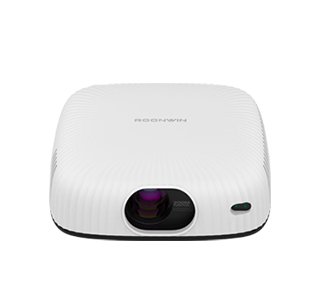
The failure of a projector to display a projection picture is one of the most common faults in daily use, which is usually caused by power problems, signal connection errors, setting errors or hardware failures. First of all, the most basic inspection is power and startup status. Many users encounter black screen failure simply because the power cord is not connected firmly or the power socket is not powered on. Users need to check whether the power cord of the projector is tightly inserted into the device interface and the socket, and confirm that the socket has normal power supply. In addition, some projectors have a physical power switch at the bottom or back. Even if the power cord is connected, the device will not start without turning on the physical switch. After confirming that the power supply is normal, observe the indicator light of the projector: if the indicator light is on and the fan is running, it means the device starts normally, and the fault is not in the power system.
Signal connection failure is the main cause of no projection picture, including wired connection and wireless screen casting signal errors. For wired connection devices such as HDMI and USB, first check whether the data cable is damaged or aging, replace a new data cable for testing if necessary, and re-plug the interface to ensure tight connection. At the same time, confirm that the projector’s signal source is consistent with the connected device. For example, if you connect an HDMI device but the projector selects the USB signal source, the screen will be black and no picture will be displayed. Users need to enter the projector’s signal source switching interface and select the corresponding connection mode. For wireless screen casting failures, check whether the projector and the mobile phone/computer are connected to the same Wi-Fi network, turn off and restart the screen casting function, and eliminate network delay and connection failure problems.
Incorrect system and picture settings will also lead to the projector having no display picture. Some projectors have a screen blanking function and sleep mode. If the user accidentally turns on the screen blanking function during use, the projection picture will disappear, and the screen will return to normal after turning off the function. In addition, the automatic sleep and shutdown setting of the projector will cause the screen to turn black after idling for a period of time. Users can cancel the sleep mode in the system setting interface. The projection mode setting is also crucial. If the projector is set to ceiling projection or rear projection mode but is placed in the ordinary desktop forward projection state, the picture may be abnormal or completely invisible. Restoring the projector’s factory settings can solve most hidden setting errors.
If all the above methods fail to solve the problem, it may be caused by hardware failures. Common hardware problems include damaged projector bulbs, blocked lens light sources, and motherboard circuit failures. For bulb projectors, long-term use will lead to bulb aging and burnout, resulting in no light emission and no projection picture. For LED smart projectors, internal circuit failure or light source module damage will also cause black screen faults. In this case, users should not disassemble the device by themselves to avoid secondary damage. It is necessary to contact the official after-sales service for professional inspection and maintenance to ensure the normal use of the projector.
Read recommendations:
HW30 Home Cinema - HW Series Projector
Minimalist Home Projector
auto-focus Projector Factory





















 Reviewed:



