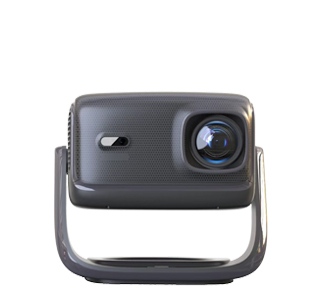
Scientific and standardized daily maintenance is crucial to extend the service life of home projectors, stabilize projection image quality, and reduce failure rates. Home projectors are precise optical and electronic integrated equipment, whose internal optical components, lenses, heat dissipation systems and circuit boards are easily affected by dust, temperature, humidity and improper operation. Daily maintenance mainly focuses on heat dissipation, dust prevention, lens protection, power use and regular inspection, forming a complete set of simple and effective maintenance norms.
Heat dissipation and dust prevention are the most basic and core maintenance points. Projectors generate a lot of heat during operation, so they must be placed in a ventilated and open position, avoiding close attachment to walls, cabinets or soft fabrics to prevent blocking heat dissipation vents. It is forbidden to cover the projector with cloth covers or sundries during operation. In terms of dust prevention, the lens and heat dissipation vents are prone to dust accumulation, which will lead to blurred images and poor heat dissipation. Users can regularly wipe the lens with a professional lens cleaning cloth, and use a soft brush or air blower to clean the dust on the vents every 1 to 2 months, avoiding the use of water or chemical cleaning agents.
Standard power operation and shutdown maintenance cannot be ignored. Do not cut off the power forcibly when the projector is working, especially for bulb and laser projectors. Sudden power failure will cause the internal heat dissipation fan to stop working immediately, resulting in local overheating and burning of optical components. After use, users should turn off the machine through the system first, wait for the cooling fan to stop running completely, and then cut off the power. In addition, avoid frequent switching on and off in a short time, which will cause impact damage to the light source and circuit system and accelerate component aging.
Humidity control and daily placement protection are also essential. The projector should be used and stored in a dry environment with moderate humidity, avoiding long-term placement in humid, rainy or mold-prone environments to prevent internal circuit oxidation and lens mildew. When not in use for a long time, it should be covered with a dust cover and placed in a stable position to avoid vibration and collision. Regularly check the projection effect and operating noise. If there is abnormal noise, blurred images or overheating alarm, stop using it in time for inspection, which can effectively avoid small faults turning into major damage.
Read recommendations:
HI Gift Customization - HI Series Projector
Projector Streaming Playback Functionality
3d Projector for ps5 and xbox gaming





















 Reviewed:



