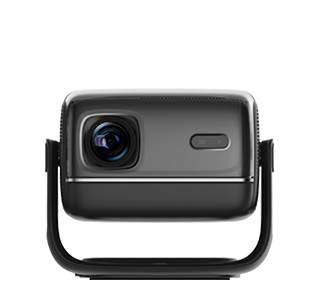
High fan noise is a common problem of projectors, which will produce obvious buzzing and rotating friction noise during operation, affecting the quiet use environment of home theaters, offices, and classrooms. The main source of projector noise is the built-in heat dissipation fan. With the increase of service time, the fan will accumulate a large amount of dust, hair, and debris on the blades and bearings. Dust accumulation will increase the weight of the fan blades and cause unbalanced rotation, resulting in violent vibration and loud noise during operation. At the same time, long-term high-speed operation will cause aging and wear of the fan bearings, reduced lubrication, and increased friction, which will further aggravate the operating noise and even produce abnormal screeching sounds.
Unreasonable placement and operating settings will also increase projector fan noise. When the projector is placed unevenly, tilted, or in a suspended unstable state, the vibration generated by fan operation will be amplified, forming resonance noise with the fuselage. Blocked heat dissipation channels will lead to increased internal temperature, forcing the fan to run at high speed with maximum air volume, resulting in louder noise. In addition, most projectors have multiple working modes. The high-brightness mode will increase the operating power of the bulb and circuit board, raise the internal temperature, and drive the fan to run at high speed, producing higher noise than the energy-saving and silent modes.
Multiple effective noise reduction methods can significantly reduce projector fan noise and solve abnormal noise problems. First, clean the fan dust thoroughly. Use a professional air blower and soft brush to remove dust and debris on the fan blades and heat dissipation channels to restore the balance of fan rotation and reduce vibration noise. Second, adjust the placement state to ensure the projector is placed horizontally and stably, and pad shock-absorbing gaskets at the bottom to reduce fuselage resonance. Third, adjust the equipment working mode, switch from high-brightness mode to silent or energy-saving mode in low-light environments, reduce internal heat generation, and lower the fan operating speed. For aging and worn fans with insufficient lubrication and serious noise, replace the original fan through official maintenance channels. In daily maintenance, clean the heat dissipation system regularly to keep the air circulation smooth, which can effectively maintain the low-noise operation state of the projector.
Read recommendations:
HW30 Home Cinema - HW Series Projector
High Brightness and Stability Projector
Complete machine Projector OBM





















 Reviewed:



