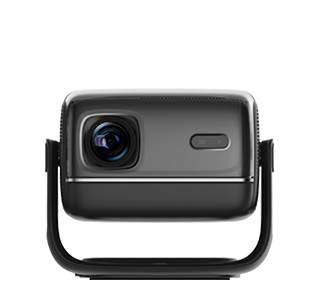
Black dots, black spots, and shadow spots on the projector screen are typical picture faults that affect viewing, and most of them are caused by internal dust pollution or component failure rather than external screen problems. When tiny dust particles, lint, and debris enter the projector’s internal optical path and adhere to the light tunnel, optical filter, lens group, or DMD chip, they will block part of the light source, forming fixed black dots on the projection picture. The longer the equipment is used, the more dust accumulates inside, and the more obvious and numerous the black dots will be. In addition, local burnout and pixel failure of the DMD chip will also form fixed black dots, which are hardware damage faults different from dust pollution.
It is necessary to accurately distinguish the causes of black dots before cleaning and maintenance to avoid invalid operations and secondary damage. The simplest discrimination method is to adjust the projector’s focus and projection size. If the position and size of the black dots change with the focus adjustment and disappear after focusing, it means the fault is caused by dust on the lens surface, which can be solved by conventional lens cleaning. If the black dots are fixed in position and unchanged in size regardless of focus and projection adjustment, it proves that dust accumulates on the internal optical components or the DMD chip is damaged. Dust-caused black dots are the most common and can be cleaned and repaired, while hardware damage requires professional component replacement.
The standardized cleaning process for black dot faults is safe and efficient. First, turn off the projector and cut off the power, and let the equipment cool down completely to avoid scalding and component damage during disassembly. For surface dust black dots, clean the lens strictly according to the professional lens cleaning method to remove surface impurities. For internal optical path dust that causes fixed black dots, it is not recommended for users to disassemble the equipment by themselves, because the internal optical structure is precise and easy to be displaced and damaged. It is better to send it to an official maintenance center for professional disassembly, dust removal, and optical path calibration. After cleaning, power on the equipment for test projection. If the black dots still exist, it is judged as DMD chip pixel damage, and official chip replacement is required. In daily use, regular dust cleaning and closed storage can effectively prevent the recurrence of picture black dot faults.
Read recommendations:
HN30B Portable - HN Series Projector
Compact Home theater Projector OEM
customization DLP Projector





















 Reviewed:



