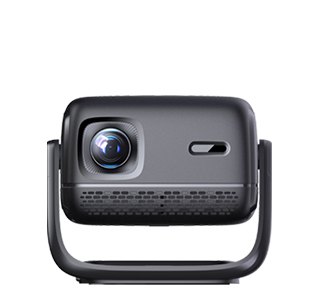
Optimizing a projector for gaming is crucial to ensure a smooth, immersive experience, as gaming requires low input lag, high refresh rates, and clear image quality—factors that differ from standard video or presentation use. Whether you’re gaming on a console, computer, or mobile device, proper optimization can eliminate lag, reduce blurriness, and enhance color accuracy, making your gaming sessions more enjoyable.
First, reduce input lag: most projectors have a “Game Mode” in the settings, which disables unnecessary image processing (such as motion smoothing) to lower lag to 30ms or less—critical for fast-paced games like first-person shooters or racing games. If your projector doesn’t have a Game Mode, manually turn off features like “Dynamic Contrast” or “Image Enhancement.” Next, adjust the refresh rate: connect your gaming device to the projector using an HDMI 2.1 cable (if supported) to enable higher refresh rates (60Hz or 120Hz), which ensures smoother motion and reduces motion blur.
Optimize image settings: set the brightness to a moderate level (depending on room lighting) to avoid eye strain, adjust contrast to enhance detail in dark scenes, and calibrate color to match the game’s intended visuals. Use a high-gain projection screen instead of a white wall to improve image sharpness and brightness, especially in well-lit rooms. Additionally, ensure the projector is placed at the correct distance to fill the screen without distortion, and use a stable power source to prevent sudden shutdowns. For wireless gaming, use a 5GHz Wi-Fi network to reduce latency, or opt for a wired connection for the most reliable performance.
Read recommendations:
HW45 Home Cinema - HW Series Projector
Auto Keystone Projectors
Comparison between Projectors and Displays





















 Reviewed:



