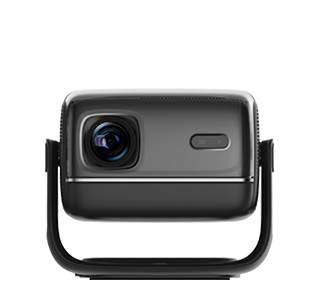
Projector high-definition input refers to the projector’s ability to receive and process high-resolution audio-visual signals (e.g., 1080p Full HD, 4K UHD) through dedicated input interfaces, ensuring the projected image retains the original clarity, detail, and color accuracy of the source content. Unlike projectors with only basic input ports (e.g., VGA for standard definition), high-definition input projectors prioritize signal integrity and high-resolution compatibility, making them essential for scenarios like home theater movie watching, professional video editing, gaming, and high-end presentations where image quality is critical.
The core components of projector high-definition input include advanced input interfaces, high-speed signal processing chips, and resolution adaptive technology. Advanced input interfaces are the foundation: the most common high-definition interfaces are HDMI (especially HDMI 2.0 and HDMI 2.1), DisplayPort, and USB-C (with DisplayPort Alt Mode). HDMI 2.0 supports 4K resolution at 60fps and HDR (HDR10, Dolby Vision), making it suitable for 4K Blu-ray players, gaming consoles (PS5, Xbox Series X), and high-end laptops. HDMI 2.1 takes it further, supporting 8K resolution at 60fps and 4K at 120fps, as well as features like Variable Refresh Rate (VRR) and Auto Low Latency Mode (ALLM)—ideal for high-end gaming and 8K content playback. DisplayPort is commonly used for professional devices like graphics cards, supporting 4K at 120fps and 8K at 30fps, making it a top choice for video editors who need to project high-resolution footage. USB-C with DisplayPort Alt Mode combines data transmission, power delivery, and high-definition video output in one port—users can connect a laptop to the projector with a single USB-C cable, simplifying the setup.
High-speed signal processing chips ensure the projector can handle large amounts of high-definition data without lag or distortion. These chips (e.g., MediaTek’s MTK8695, Texas Instruments’ DLP Pico chips) process incoming signals at speeds of up to 48Gbps (for HDMI 2.1), converting digital signals into clear image signals while maintaining synchronization between audio and video. For example, when a 4K gaming console sends a 4K/120fps signal to the projector, the processing chip quickly decodes the signal and projects it in real time, with input lag as low as 5ms—critical for fast-paced games where every millisecond matters.
Resolution adaptive technology allows the projector to automatically adjust its output resolution to match the input signal. If the source device (e.g., a laptop) outputs a 1080p signal, the projector switches to 1080p mode; if a 4K Blu-ray player outputs a 4K signal, it switches to 4K mode. Some advanced projectors also support "upscaling"—converting low-resolution signals (e.g., 720p) to higher resolutions (e.g., 1080p or 4K) by adding interpolated pixels, improving the clarity of low-quality content. For example, a user playing a 720p old movie can upscale it to 1080p, making the image look sharper on a large screen.
Key considerations for projector high-definition input include interface compatibility, signal cable quality, and resolution matching. Interface compatibility: users need to ensure the projector’s input interfaces match the source device—for example, a PS5 requires an HDMI 2.1 port to output 4K/120fps signals; using an HDMI 2.0 port will limit it to 4K/60fps. Signal cable quality: high-definition signals require high-speed cables (e.g., HDMI 2.1 cables rated for 48Gbps); low-quality cables may cause signal loss, leading to blurry images or audio-video desync. Resolution matching: the projector’s native resolution should align with the source content— a native 1080p projector can display 4K content but will downscale it, while a native 4K projector will show 4K content in full detail.
In practical use, projector high-definition input delivers premium visual experiences. A home theater enthusiast connects a 4K Blu-ray player to a projector via HDMI 2.1—watching a 4K HDR movie, every detail (from the actor’s facial expressions to the texture of clothing) is clear and lifelike. A gamer uses an HDMI 2.1 port to connect their Xbox Series X to the projector—playing 4K/120fps games with VRR, ensuring smooth gameplay without screen tearing. A video editor connects their graphics card to the projector via DisplayPort—reviewing 4K footage in full resolution, checking for color errors or detail issues that might be missed on a small monitor. For anyone pursuing high-quality visuals, projector high-definition input is a non-negotiable feature.
Read recommendations:
HI Gift Customization - HI Series Projector
8G Battery Powered Pocket Projector
Built-in Projector best price





















 Reviewed:



