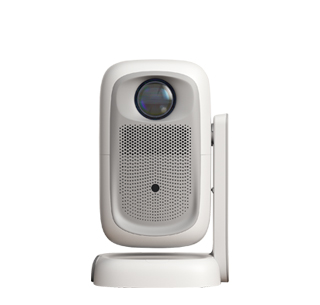
A convenient screen mirroring projector is a user-friendly projection device designed to simplify the process of mirroring content from smartphones, tablets, laptops, or other smart devices onto a large screen—minimizing setup steps, reducing connection time, and eliminating technical barriers. Unlike projectors with complex mirroring procedures (requiring manual network configuration or third-party software), it prioritizes one-touch operation, multi-device compatibility, and stable connection, making it ideal for casual users, families, classrooms, and small offices where quick content sharing is needed.
The core advantages of convenient screen mirroring projectors include simplified connection steps, broad device compatibility, stable wireless transmission, and user-friendly auxiliary features. Simplified connection steps are its biggest highlight: most models support "one-touch mirroring"—users either press a dedicated "Mirror" button on the projector or remote control, or select the projector from their device’s wireless display list, and the connection is established in 5-10 seconds. Some advanced projectors use NFC (Near Field Communication) technology: users tap their smartphone (with NFC enabled) against the projector, and mirroring starts automatically—no need to navigate through menus or enter passwords. For example, a parent can mirror photos from their iPhone to the projector by tapping the phone on the projector, then project the photos onto a wall for the whole family to view.
Broad device compatibility ensures it works with most mainstream devices and operating systems: it supports AirPlay (for Apple devices like iPhones, iPads, MacBooks), Miracast (for Windows PCs and Android devices), Chromecast (for casting from Chrome browsers or Android apps), and even Bluetooth-based mirroring for older devices. This means users don’t have to worry about whether their device is compatible—whether they’re using a Samsung Galaxy phone, a Dell laptop, or an iPad, the projector can connect seamlessly. For instance, a teacher in a classroom can mirror a lesson slide from their Windows laptop via Miracast, then switch to mirroring a student’s Android tablet to display their homework—all without changing settings.
Stable wireless transmission prevents frequent disconnections or lag during mirroring. These projectors use dual-band Wi-Fi (2.4GHz and 5GHz) to reduce interference: the 2.4GHz band has a longer range (suitable for large rooms), while the 5GHz band offers faster speed (up to 1.2Gbps) and less interference (ideal for 4K video mirroring). They also use advanced wireless technologies like 802.11ac or 802.11ax (Wi-Fi 6) to improve signal stability, ensuring smooth playback of high-definition videos or real-time content (e.g., video calls). For example, a user mirroring a 4K movie from their laptop to the projector via 5GHz Wi-Fi will experience no buffering or frame drops, even if other devices are connected to the home network.
User-friendly auxiliary features enhance the mirroring experience: screen rotation allows users to adjust the projected image to portrait or landscape mode, ideal for mirroring social media content (e.g., Instagram Reels, TikTok videos) from smartphones. screen zoom lets users enlarge specific parts of the mirrored content—for example, a presenter can zoom in on a chart in a slide to highlight key data. multi-screen mirroring supports simultaneous mirroring from multiple devices (up to 4 devices at once), with the option to display them in split-screen mode—useful for classroom activities where multiple students share their work at the same time. Some projectors also have a "guest mode"—generating a temporary Wi-Fi network for guests to connect to, preventing them from accessing the home network while mirroring content.
In practical use, convenient screen mirroring projectors make content sharing effortless. A family uses AirPlay to mirror a Disney+ movie from an iPad to the projector—everyone sits on the couch, and the iPad is used to control playback, no cables or complex setup needed. A small team holds a brainstorming session: each member mirrors their laptop’s screen to the projector in turn, sharing ideas and slides quickly, without waiting for others to disconnect. A student mirrors their smartphone to the projector to present a school project—they can walk around the classroom while talking, using the phone as a remote to switch between slides. For anyone who values simplicity and efficiency, a convenient screen mirroring projector eliminates the hassle of traditional wired connections and makes sharing content a breeze.
Read recommendations:
HW40 Home Cinema - HW Series Projector
Built-in Projector best price
Bulb Life of Projector Screens





















 Reviewed:



