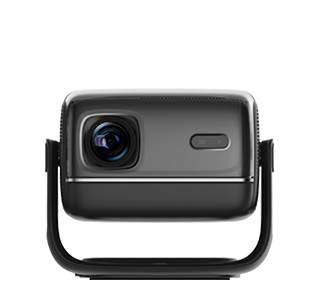
An easy-to-operate projector is a user-centric projection device designed to minimize technical complexity, with intuitive controls, simplified setup procedures, and clear guidance—making it accessible to users of all skill levels, including the elderly, children, and those with limited technical knowledge. Unlike projectors with complicated menus or confusing button layouts, it prioritizes simplicity, intuitiveness, and error resistance, making it ideal for home use (especially families with children or the elderly), classrooms, and public spaces (e.g., libraries, community centers) where ease of use is a top priority.
The core features of an easy-to-operate projector include intuitive control interfaces, one-click setup functions, automatic adjustment technologies, and clear user guidance. Intuitive control interfaces are the foundation: physical buttons on the projector and the remote control are labeled clearly (e.g., "Power," "Source," "Volume," "Menu") with large, easy-to-read icons, avoiding ambiguous terms or complex symbols. The remote control is lightweight and compact, with essential buttons placed within easy reach—no unnecessary functions that might confuse users. Some models even use a "touchpad remote" or a "voice remote" (supporting simple voice commands like "Turn on," "Switch to HDMI 1") for users who struggle with small buttons. For example, an elderly user can easily turn on the projector and switch to the "Movie" mode using the clearly labeled remote buttons, without needing to read a thick manual.
One-click setup functions simplify the initial installation and daily use: one-click startup allows the projector to power on and enter the main interface in 30 seconds or less, with no need to wait for long boot times. one-click source switching lets users switch between input sources (e.g., HDMI, USB, Wi-Fi) with a single button press—the projector automatically detects the active source and displays it, eliminating the need to navigate through menus. one-click image optimization provides presets like "Movie," "Presentation," "Game," and "Night Mode"—users select the appropriate preset based on their usage scenario, and the projector automatically adjusts brightness, contrast, and color to the optimal settings. For instance, a parent can press the "Movie" preset button before playing a children’s movie, and the projector will dim the brightness slightly and enhance color saturation for a better viewing experience.
Automatic adjustment technologies reduce the need for manual tweaks: auto-keystone correction uses built-in sensors to detect the projector’s position relative to the screen, automatically correcting trapezoidal distortion (caused by off-center placement) to ensure a perfectly rectangular image. Users don’t have to manually adjust the keystone sliders—even if the projector is placed on an uneven table or at an angle, the image remains straight. auto-focus allows the projector to focus the image automatically within 2-3 seconds of startup, eliminating the need to twist focus rings manually. auto-screen fit detects the size and position of the projection screen, automatically adjusting the image size to fit the screen perfectly—no more manually zooming or shifting the image to avoid overshooting the screen edges. For example, a child can move the projector to a different spot on the table, and the projector will automatically correct the keystone, focus the image, and fit it to the wall—no adult assistance needed.
Clear user guidance provides support when users encounter issues: built-in on-screen tutorials explain basic operations (e.g., "How to connect a smartphone," "How to switch input sources") with simple images and step-by-step instructions. Some projectors have a "Help" button on the remote control—pressing it brings up a list of common problems and solutions (e.g., "No image? Check if the HDMI cable is connected," "No sound? Adjust the volume or check the audio source"). For users who need further help, many brands offer a dedicated customer service hotline or a mobile app with live chat support—accessible directly from the projector’s interface.
In practical use, easy-to-operate projectors reduce frustration and make projection accessible to everyone. An elderly user can independently turn on the projector, connect it to a USB drive with family photos, and play a slideshow—using the clear remote buttons and automatic adjustments. A teacher in a primary school can let students take turns operating the projector to share their drawings, as the one-click setup and automatic correction make it easy for children to use. A community center uses easy-to-operate projectors for senior movie nights—volunteers set up the projectors once, and seniors can operate them independently using the simple controls. For anyone who wants to enjoy the benefits of projection without dealing with technical complexity, an easy-to-operate projector is the perfect choice.
Read recommendations:
HN30B Portable - HN Series Projector
Live - Streaming Function of Projectors
MediaTek Projector solution





















 Reviewed:



