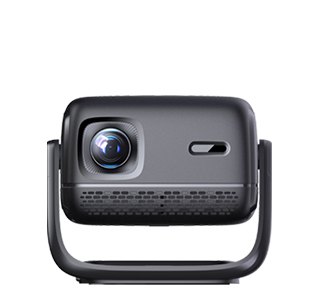
Proper maintenance of your projector is essential to ensure its longevity and consistent performance. Regular maintenance can prevent common issues such as overheating, image degradation, and mechanical failures.
One of the most important maintenance tasks is cleaning the projector's lens. Over time, dust and debris can accumulate on the lens, causing the projected image to appear blurry or dim. Use a soft, lint - free microfiber cloth to gently wipe the lens. Avoid using abrasive materials or harsh chemicals, as they can scratch or damage the lens. For stubborn dirt, you can use a lens cleaning solution specifically designed for projectors. Apply a small amount of the solution to the cloth and then clean the lens in a circular motion.
Clean the projector's air filters regularly. Most projectors have air filters that prevent dust from entering the internal components. If the filters become clogged, it can cause the projector to overheat. Check the user manual to locate the air filters and how often they should be cleaned. In general, air filters should be cleaned every few months, depending on the usage environment. Some projectors have reusable filters that can be washed with water, while others require replacement.
Manage the projector's usage time. Avoid running the projector continuously for long periods. Prolonged use can cause the internal components to wear out faster and increase the risk of overheating. If you need to use the projector for an extended period, take breaks every few hours to allow the projector to cool down.
Update the projector's firmware regularly. Manufacturers often release firmware updates to improve performance, fix bugs, and add new features. Check the manufacturer's website for the latest firmware version for your projector model. Follow the provided instructions carefully to update the firmware. Make sure to backup any important settings before the update, as the process may reset some configurations.
When storing the projector, make sure it is in a dry and dust - free environment. Use the original packaging or a suitable storage case to protect the projector from physical damage. If you're storing the projector for an extended period, power it on periodically to prevent the internal components from deteriorating. By following these maintenance tips, you can keep your projector in top condition and enjoy high - quality projections for years to come.
Read recommendations:
HN30B Portable - HN Series Projector
16G Projector for Party
Complete Usage Methods of Projectors





















 Reviewed:



