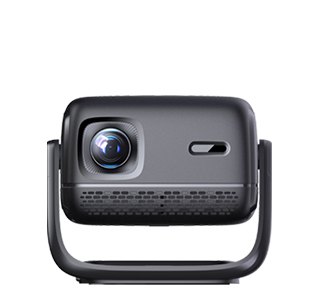
A wireless screen mirroring projector is a modern projection device equipped with built-in wireless technology that allows users to display content from smartphones, tablets, laptops, or streaming devices onto a screen without physical cables (HDMI, USB, etc.). Unlike traditional projectors that require wired connections, it prioritizes seamless wireless pairing, multi-device compatibility, and real-time content sharing—making it ideal for home entertainment, classrooms, small offices, and casual gatherings where convenience and flexibility are key.
The core features of a wireless screen mirroring projector include multiple wireless protocols, one-touch pairing, multi-device switching, and streaming app integration. Multiple wireless protocols ensure compatibility with different devices and operating systems: AirPlay (for Apple devices like iPhones, iPads, or MacBooks), Miracast (for Windows PCs and Android devices), Chromecast (for casting from Chrome browsers or Android apps), and Bluetooth (for audio pairing with external speakers). This versatility means users don’t need to worry about device compatibility—whether they’re using an iPhone to share photos or a Windows laptop to present a slideshow, the projector connects effortlessly.
One-touch pairing simplifies the connection process: many models feature a dedicated "Mirror" button on the remote control or projector body. Users press the button, select the projector from their device’s wireless display menu, and the connection is established in 10-15 seconds. Some advanced models use NFC (Near Field Communication)—users tap their smartphone against the projector to pair, eliminating the need to navigate through menus. This ease of use is critical for casual users (e.g., families sharing vacation photos) or classrooms where teachers need to switch between student devices quickly.
Multi-device switching allows the projector to connect to multiple devices simultaneously and switch between them with a single button press. For example, in a small office meeting, three team members can connect their laptops to the projector—when it’s time for each person to present, they simply select their device from the projector’s menu, no need to unplug and re-plug cables. This saves time and reduces technical frustration, especially in fast-paced meetings.
Streaming app integration takes wireless functionality further: many wireless projectors run on smart operating systems like Android TV or Fire TV, allowing users to access streaming apps (Netflix, Disney+, YouTube, Prime Video) directly on the projector. Users can stream movies or TV shows without connecting a separate device, turning the projector into a standalone entertainment system. For example, a family can use the projector’s built-in Netflix app to watch a movie, with the projector connecting to their home Wi-Fi network for streaming.
Other practical features include wireless audio pass-through (sending audio to Bluetooth speakers or soundbars wirelessly), screen rotation (adjusting the projected image for portrait or landscape content, ideal for sharing social media posts from smartphones), and password protection (preventing unauthorized devices from connecting to the projector in public spaces like classrooms or co-working areas).
In practical use, wireless screen mirroring projectors enhance convenience. A family uses an Anker Nebula Mars 3 Pro to share vacation photos from their iPhones—connecting wirelessly via AirPlay, they project the photos onto a living room wall, no cables needed. A teacher in a classroom uses a BenQ E580 to switch between student iPads, displaying each student’s math homework on the projector for class discussion. A small team holds a casual meeting in a co-working space, using a wireless projector to cast a shared Google Docs file from a team member’s laptop, with everyone contributing edits in real time. For anyone who values simplicity and flexibility, a wireless screen mirroring projector eliminates the hassle of cables and makes content sharing effortless.
Read recommendations:
HW30 Home Cinema - HW Series Projector
Correction Effect of Electric Keystone Projectors
What to Do When the Laptop Cannot Project via HDMI Cable





















 Reviewed:



