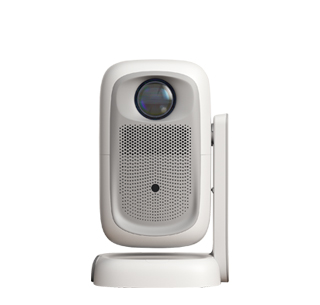
For beginners, using a projector can seem intimidating at first, but with a
step - by - step approach, it becomes a straightforward process. The first step
is to choose a suitable location for the projector. If you're using a table -
top installation, find a stable and flat surface in front of the projection
screen or wall. Make sure the distance between the projector and the screen is
appropriate according to the projector's throw ratio, which is usually specified
in the user manual.
Next, connect the necessary devices. Start with the power cable. Plug one
end into the projector and the other into a grounded electrical outlet. Then,
connect your video source. If you're using a laptop, look for the HDMI or VGA
port on both the laptop and the projector. Use the corresponding cable to make
the connection. Some projectors also support wireless connectivity. If your
projector has this feature, follow the on - screen instructions to connect your
device wirelessly, typically by connecting to the projector's Wi - Fi
network.
After making the connections, power on the projector and your video source.
The projector will display a startup screen. Use the remote control that comes
with the projector to navigate through the menu. The first setting you should
adjust is the focus. Look for the focus ring on the projector lens and turn it
until the image on the screen is sharp. If the image appears distorted, like a
trapezoid, use the keystone correction feature. This can usually be found in the
projector's menu. Select the keystone correction option and adjust the settings
until the image is rectangular.
To get the best visual experience, adjust the brightness, contrast, and
color settings. These settings can usually be accessed through the projector's
menu. Start with the default settings and make small adjustments based on your
personal preference and the lighting conditions of the room. For example, if the
room is bright, you may need to increase the brightness.
Finally, when you're done using the projector, turn it off. Most projectors
have a power - off sequence to protect the internal components. First, use the
remote control to select the power - off option in the menu. Wait for the
projector's fan to stop running completely before unplugging the power cable.
This ensures that the projector cools down properly and extends its
lifespan.
Read recommendations:
HN30A Portable - HN Series Projector
Immersiveness of Projectors and VR Devices
Selection of Projector HDMI Cable Length





















 Reviewed:



