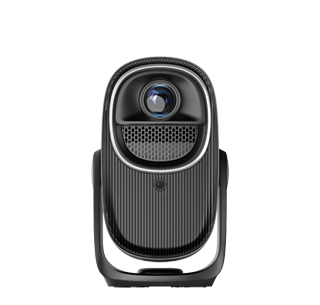
AirPlay is Apple’s exclusive wireless screen casting protocol, designed to realize seamless image, video and audio transmission between iPhone, iPad, Mac and compatible display devices, and most modern household projectors support AirPlay connection through three mainstream methods, while some old low-cost models lack this built-in function and require auxiliary equipment to achieve casting. The most convenient solution is projectors with native built-in AirPlay receiving modules, which integrate Apple’s official wireless protocol chip inside the machine. After connecting the projector and Apple mobile devices to the same Wi-Fi network, users only need to pull down the control center of iPhone or iPad, tap the screen mirroring icon, and select the corresponding projector name to complete one-click casting without downloading third-party casting software. This native AirPlay connection supports lossless audio transmission, and the sound of movies, games and music will be output synchronously through the projector’s built-in speakers or external audio equipment, with almost no audio delay, which is very suitable for watching streaming videos and playing mobile games.
The second mainstream connection method relies on third-party casting software embedded in the projector’s smart system, such as AirScreen and Miracast multi-protocol integration tools. Even if the projector does not carry official AirPlay certification, these built-in applications can simulate AirPlay receiving signals to realize screen mirroring for Apple devices. However, this indirect casting way has obvious limitations compared with native AirPlay: high-definition 4K video casting may have frame drops and picture stuttering, and audio delay of 0.3 to 1 second often occurs when playing short videos or games, which will affect the viewing experience. Some software also has functional restrictions, unable to cast encrypted paid streaming media content such as Apple TV+ and Netflix, and the picture resolution will be automatically compressed to 1080P to reduce transmission bandwidth pressure.
For outdated projectors without smart systems and wireless casting functions, users can use auxiliary hardware to add AirPlay compatibility. The most common tools are Apple TV set-top boxes and wireless casting dongles with AirPlay certification. Connect the Apple TV to the projector’s HDMI interface via an HDMI cable, match the Apple TV with the same Wi-Fi as the Apple terminal, and the projector can perfectly receive AirPlay signals, supporting all original AirPlay functions including lossless 4K casting, multi-channel surround sound and encrypted media playback. Wireless casting dongles are cheaper alternatives, but their signal stability is easily interfered by household Wi-Fi, leading to frequent disconnection during long-time casting. It is worth noting that some projectors will automatically disable AirPlay function when connected to wired network; users need to switch the projector to Wi-Fi mode first. In addition, the distance between the projector and Apple equipment should be controlled within 10 meters, and obstacles such as walls and metal cabinets should be reduced, to avoid weak wireless signals causing blurred casting pictures and interrupted transmission.
Read recommendations:
HN30B Portable - HN Series Projector
3d Projector solution
1080P Projector with TOF Laser Focus - 4K Decoding Supported





















 Reviewed:



