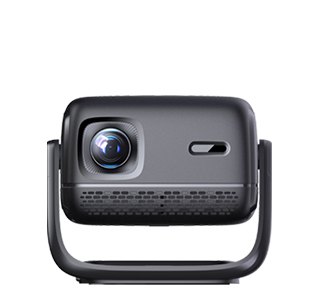
Almost all mainstream projectors on the market are equipped with USB interfaces, supporting direct connection and reading of USB flash drives, which is one of the most practical basic functions of projectors. This function frees users from the dependence on computers, mobile phones and other intermediate equipment. Users can directly store videos, pictures, documents and audio files in a USB flash drive and insert it into the projector to play and view, which is very convenient for classroom teaching, business conferences and home entertainment.
Projectors support multiple mainstream file formats in USB flash drives. For video files, it can play MP4, AVI, MKV, MOV and other common formats; for picture files, JPG, PNG, BMP and other image formats are fully compatible; for office files, most smart projectors can directly open PPT, Word, Excel and PDF documents, meeting the basic needs of office presentation and course demonstration. The USB interface of the projector also supports reading mobile hard disks in addition to USB flash drives, expanding the storage and reading range of files.
There are a few precautions for using a USB flash drive with a projector. First, the disk format of the USB flash drive needs to be adapted. Most projectors support FAT32 and NTFS formats, while individual old models cannot identify exFAT formatted USB flash drives, resulting in unreadable files. Second, oversized high-definition video files may have stuttering and unplayable problems due to the limitation of the projector’s built-in decoding ability. Finally, it is necessary to ensure that the USB flash drive is free from virus and file damage, so as to avoid the projector being unable to identify the device or crashing during reading. Standardized use can give full play to the convenient USB direct reading function of the projector.
Read recommendations:
HW40 Home Cinema - HW Series Projector
Portable Projector Distributor
Projector Network Connection





















 Reviewed:



