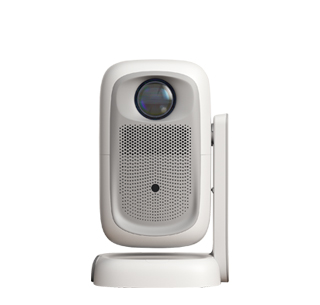
Image distortion is a common failure in daily projector use, especially for bedroom projectors that are often placed casually on bedside tables or floating windows. Common distortion phenomena include trapezoidal deformation, blurred edges, color deviation, stretching and compression of pictures, and asymmetric screen proportions, which seriously affect viewing experience. Most projector image distortion problems are not equipment failures but are caused by incorrect placement, improper parameter setting, or unstable signal transmission. Users can solve more than 90% of distortion problems through simple manual debugging and parameter adjustment without professional maintenance.
Trapezoidal distortion is the most frequent issue, occurring when the projector lens is not perpendicular to the projection wall or screen. When the projector is placed tilted left, right, up, or down, the projected rectangular picture will turn into a trapezoid with inconsistent upper and lower widths. The simplest solution is to standardize the placement, keeping the projector body horizontal and the lens facing the center of the projection surface vertically. For bedroom scenarios where fixed placement is inconvenient, users can use the projector’s built-in keystone correction function. Most home projectors support four-point keystone correction and automatic trapezoid correction, which can intelligently identify the screen border and automatically correct distorted pictures into standard rectangles even when the device is placed obliquely.
Color distortion and blurry picture distortion are mainly caused by incorrect focus adjustment, inappropriate parameter settings, or ambient light interference. If the picture is blurry and the edges of characters are distorted, users can manually rotate the focus ring or trigger the device’s auto-focus function to calibrate the picture clarity. Long-term use may cause color deviation due to aging light sources or incorrect color temperature parameters; users can restore factory default image parameters in the projector’s setting interface, or manually adjust color saturation, contrast, and color temperature to restore accurate and natural colors. In addition, strong ambient light in the bedroom will cause picture fading and distortion. It is recommended to close curtains and turn off overhead lights during viewing to ensure a pure projection environment.
Signal transmission failure also leads to picture distortion, screen flickering, and incomplete display. When connecting a TV box or mobile phone for projection, aging HDMI cables, loose interfaces, or unstable WiFi signals will cause signal loss and picture distortion. Users can replace high-quality high-definition cables, re-plug the interfaces to ensure tight connection, and switch to a stable 5G WiFi network to optimize signal transmission. For individual persistent distortion caused by hardware aging or lens displacement, regular lens cleaning and professional equipment calibration can effectively improve the imaging effect. Scientific debugging can completely solve daily projector image distortion problems and restore high-quality projection pictures.
Read recommendations:
HN30A Portable - HN Series Projector
Wireless Screen Mirroring Function of Projectors
Projector Ethernet Port





















 Reviewed:



