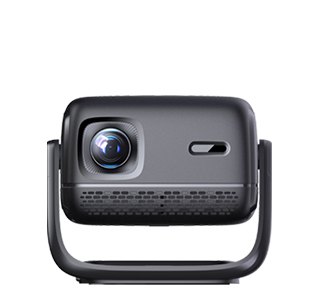
Wireless screen mirroring is one of the most practical functions of home projectors, allowing users to project videos, pictures, documents and mobile screen content onto the large screen without data lines, realizing convenient home entertainment and office projection. The operation methods vary slightly according to different devices, mainly divided into mobile phone wireless projection and computer wireless projection, with simple and fast overall steps.
For smartphone projection, first turn on the projector and connect it to the home WiFi network. It is best to keep the mobile phone and the projector connected to the same WiFi to ensure stable transmission. For iOS devices, you can directly open the screen mirroring function in the control center, search for the projector’s device name, and click to connect automatically. For Android mobile phones, different brands have built-in projection functions with different names, such as Smart View, Screen Cast and Multi-screen Interaction. After turning on the function, search and match the projector device to complete the connection.
For laptop wireless projection, Windows systems can press the Win+P shortcut key, select the "Connect to wireless display" option, search for the projector and complete pairing. Mac laptops can use the AirPlay function to search for projector devices. It is worth noting that during wireless projection, avoid too many devices occupying the same WiFi network, which will cause screen lag and frame drop. If the network is unstable, you can use the projector’s hotspot function, let the mobile phone or computer connect to the projector’s exclusive hotspot, to achieve more stable projection effect.
Read recommendations:
HW30 Home Cinema - HW Series Projector
DIY Projector Installation
Projector AI Intelligent Voice Technology





















 Reviewed:



