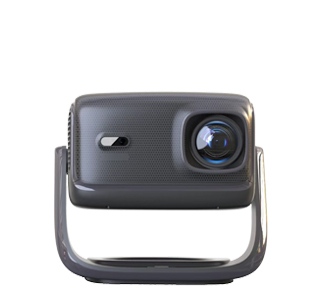
I. Core Advantages of Small Office Meetings
1. Ultra-Portable Design: Adaptable to Flexible Meeting Spaces
These projectors prioritize mobility to adapt to dynamic office
environments. Weighing typically 1.5-2.5 kg and measuring 25-35 cm in length,
they are compact enough to fit in a laptop bag or office locker. Unlike bulky
traditional office projectors (over 3 kg), they support a "pick-and-play"
approach: employees can easily move them to small meeting rooms, open-plan
offices, or even impromptu meeting areas (e.g., a corner of an office break
room). Many models feature a slim, streamlined casing with anti-slip pads,
allowing for stable placement on meeting tables, bookshelves, or even stacked
file boxes—eliminating the need for fixed installation, saving setup time, and
adapting to limited space.
2. 1080P Resolution: Clear Presentation of Office Content
The native 1920×1080 resolution ensures clear presentation of office
content, which is crucial for small meetings where participants are 1-3 meters
from the screen. It delivers crisp text (even in 8-point font in spreadsheets or
reports), clear data charts (e.g., bar charts, pie charts with subtle color
gradients), and smooth video playback (suitable for product demonstrations or
training videos). Compared to 720p projectors, it reduces eye strain caused by
blurry text, especially during long (1-2 hour) document reviews or data
discussion meetings. For smaller screens (60-100 inches, suitable for 3-10
people), the 1080p resolution avoids pixelation, ensuring every participant can
clearly see details such as formula annotations in Excel or small icons in
PowerPoint slides.
3. Wireless Screen Mirroring: Simplifying Meeting Collaboration
Built-in wireless connectivity (dual-band Wi-Fi 5/6 + Bluetooth) supports
seamless screen mirroring, solving the "cluttered cable" problem in small
meetings. It's compatible with multiple protocols: Miracast (for Windows
laptops), AirPlay (for Apple devices such as MacBooks/iPhones), and Chromecast
(for Android tablets)—no additional adapters or HDMI cables required. Key
advantages of small meetings include:
Fast switching between multiple devices: Up to 5 devices can be paired
simultaneously; participants can switch from a PowerPoint presentation on one
laptop to a spreadsheet on another in 2-3 seconds, avoiding delays caused by
plugging and unplugging cables.
Low latency: Wireless transmission latency ≤100 milliseconds ensures
synchronized, lag-free display of dynamic content (e.g., scrolling through a
live Excel spreadsheet or playing a short training video)—crucial for
interactive discussions.
Remote collaboration support: When used with video conferencing tools
(Zoom, Teams), it can mirror the meeting interface on a laptop, turning the
projection screen into a shared display for all participants to watch
presentations from remote colleagues.
4. Balanced brightness and quiet operation: Ideal for office
environments
Most models offer 300-500 ANSI lumens of brightness, optimized for small
meeting spaces with soft ambient lighting (e.g., offices with ceiling lights or
drawn curtains). This brightness level ensures clear projection without glare or
harsh light, while avoiding the high power consumption of high-brightness
projectors (suitable for long meetings). In terms of noise, the energy-saving
mode operates at ≤35dB—quieter than a standard office printer—preventing
interference during discussions or remote video calls with colleagues.
II. Key Technologies for Small Meetings
1. Wireless Screen Mirroring Optimization: Stable Office Collaboration
To address potential Wi-Fi interference in office environments (e.g.,
multiple devices connected to the same network), these projectors utilize
dual-band Wi-Fi (2.4G + 5G):
The 2.4G band offers wider coverage (suitable for small rooms with thick
walls), while the 5G band offers faster speeds (ideal for high-resolution PPTs
or video files).
Some models integrate an "Office Mode" wireless connection, prioritizing
data transmission stability over speed to reduce packet loss when multiple
devices are connected to the same network (common in busy offices).
Furthermore, the built-in wireless signal amplifier enhances connection
stability within an 8-meter range, maintaining a stable signal even in small
meeting spaces (10-20㎡).
2. Portable Structure and Efficient Heat Dissipation
To balance portability and durability, the projector utilizes lightweight,
high-strength materials (ABS plastic + aluminum alloy), reducing weight while
withstanding minor bumps during transport (e.g., moving between floors). For
heat dissipation, crucial for long meetings (over 2 hours), the projector
features a compact heatsink design with side-mounted vents:
Even when placed against a wall or near other office equipment (e.g.,
laptops or document trays), the vents do not obstruct airflow.
The low-power LED light source effectively reduces heat generation,
allowing the projector to operate continuously for over 4 hours without
overheating—sufficient for a morning of continuous small meetings.gs.
3. Office-Specific Efficiency Features
To save time in fast-paced office scenarios, these projectors include
functions tailored for meetings:
10-second quick boot: Skips complex startup procedures, allowing the
projector to be ready for use within 10 seconds of being powered on—ideal for
impromptu small meetings.
One-click keystone correction: Vertical ±30° and horizontal ±20° correction
fixes distorted images caused by off-center placement (e.g., placing the
projector on a corner of the conference table), eliminating the need for manual
adjustments.
Screen freeze function: Freezes the current screen (e.g., a key data slide)
while the presenter switches to another file, ensuring the discussion stays
focused without interrupting the shared view.
III. Typical Small Meeting Application Scenarios
1. Internal Team Meetings (3-5 People)
In a 10-15㎡ office conference room, place the projector on the conference
table (1-1.5 meters from a whiteboard or projection screen) to cast a 60-80 inch
image. Team members can wirelessly mirror their laptops to share project
progress PPTs, task lists, or design drafts—quickly switching between devices to
discuss details like timeline adjustments or budget allocations. The quiet
operation ensures clear communication, even when the meeting lasts 1-2
hours.
2. Client On-Site Presentations (2-4 People)
When meeting with clients in their office or a co-working space, the
portable design allows staff to carry the projector in a laptop bag. It can be
set up on a small table (0.8-1 meter from a wall) to project a 50-70 inch
screen, wirelessly mirroring a MacBook or Windows laptop to show product demos,
service proposals, or case studies. 1080P resolution ensures clients can clearly
see details like product specs or contract terms, while wireless connectivity
avoids the awkwardness of asking for HDMI cables or power adapters.
3. Temporary Collaborative Spaces (4-8 People)
In open-plan offices or shared workspaces (where fixed conference rooms are
occupied), the projector can turn a quiet corner into a temporary meeting area.
Place it on a rolling cart (1-1.2 meters from a blank wall) to project an
80-inch screen, supporting wireless mirroring for team brainstorms—participants
can take turns sharing ideas via their phones or tablets, with the projection
screen serving as a central visual reference. The compact size means the cart
can be stored easily after the meeting, without occupying permanent space.
4. Remote Meeting Auxiliary (5-10 People)
For hybrid meetings (some in-room, some remote), the projector mirrors the
laptop running the video conference (e.g., Zoom, Teams) onto a 90-100 inch
screen. In-room participants can clearly see remote colleagues’ faces and shared
presentations, while the wireless function allows the meeting host to switch
between the conference interface and local files (e.g., a supplementary data
sheet) without disrupting the call. This eliminates the need for everyone to
huddle around a small laptop screen, improving engagement in small hybrid
meetings.
IV. 2025 Purchase Guide for Office Users
1. Portable Parameter Verification: Avoid "Bulky Portability"
Weight & size: Prioritize models ≤2.2kg and ≤32cm in length—heavier
models (2.5kg+) may be tiring to carry between floors, while oversized designs
(≥35cm) won’t fit in standard laptop bags.
Power supply: If meetings are held in spaces without power outlets, choose
models with built-in 4000-6000mAh batteries (supporting 2-4 hours of continuous
use); for fixed office spaces, focus on lightweight plug-in models (no need for
battery bulk).
Build durability: Look for models with reinforced corners or
scratch-resistant casings—better suited for frequent transport between meeting
rooms.
2. Wireless Performance Check: Ensure Meeting Smoothness
Connectivity stability: Confirm support for dual-band Wi-Fi (2.4G+5G) and
Bluetooth 5.0+—single-band Wi-Fi (only 2.4G) may suffer from interference in
busy offices.
Protocol compatibility: Verify support for Miracast, AirPlay, and
Chromecast—avoids compatibility issues with different devices (Windows laptops,
MacBooks, iPhones) used by team members.
Latency test: Choose models with advertised latency ≤100ms; if possible,
test wirelessly mirroring a scrolling Excel sheet to ensure no lag—critical for
data-focused meetings.
3. Office Function Adaptation: Prioritize Efficiency
Brightness range: 350-450 ANSI lumens is ideal for small offices with
ambient light—too low (≤300 ANSI) may require dimming lights (disrupting the
mood), while too high (≥500 ANSI) wastes power.
Interface selection: At minimum, include 1 HDMI port (for wired backup if
Wi-Fi fails) and 1 USB-C port (to charge the projector or connect a laptop
directly); avoid models with only USB-A ports (limited compatibility with new
laptops).
Audio support: If the meeting space lacks external speakers, opt for
built-in 5W+ dual speakers with
Read recommendations:
HW40 Home Cinema - HW Series Projector
Can Projectors Be Used to Project onto Ceilings?
8K compatible 3D video projector





















 Reviewed:



