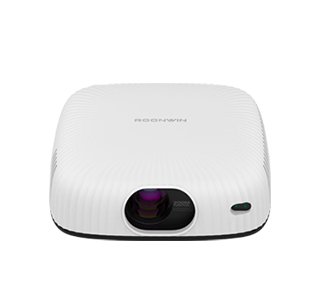
Projector wireless transmission refers to the technology that allows a projector to receive content (videos, images, documents) from external devices (smartphones, laptops, tablets) without physical cables—using wireless protocols like Wi-Fi, Miracast, AirPlay, or Chromecast. Unlike wired connections that require HDMI, USB, or VGA cables, wireless transmission prioritizes convenience, multi-device compatibility, and flexible placement, making it ideal for home entertainment, classrooms, offices, and any scenario where moving devices or hiding cables is challenging.
The core wireless transmission technologies used in projectors include Wi-Fi-based screen mirroring, casting protocols, and wireless HDMI. Wi-Fi-based screen mirroring (Miracast for Android/Windows, AirPlay for Apple devices) allows users to replicate their device’s entire screen on the projector. For example, an Android smartphone user can enable Miracast, select the projector from the list of available devices, and mirror their phone’s screen—projecting apps, photos, or videos in real time. This is useful for sharing content that isn’t stored on the projector itself, like social media posts or mobile games. Most projectors with Wi-Fi support 2.4GHz and 5GHz bands: 2.4GHz has a longer range (up to 50 feet) but slower speed, while 5GHz offers faster speed (up to 1Gbps) and less interference, making it better for 4K video streaming.
Casting protocols (Chromecast, DLNA) differ from screen mirroring in that they send content directly from apps to the projector, rather than mirroring the entire screen. For example, a user can open the YouTube app on their laptop, tap the Chromecast icon, and select the projector—YouTube will stream the video directly to the projector, allowing the user to use their laptop for other tasks (like browsing the web) without interrupting the video. This is more efficient than screen mirroring, as it uses less bandwidth and reduces latency. Many projectors have built-in Chromecast or support DLNA, making them compatible with thousands of casting-enabled apps (Netflix, Disney+, Spotify).
Wireless HDMI (also called "wireless HD") is a high-performance wireless transmission technology designed for high-quality video (4K, HDR) with low latency. Unlike Wi-Fi-based methods that rely on home networks, wireless HDMI uses a dedicated transmitter and receiver: the transmitter connects to the source device (e.g., a 4K Blu-ray player), and the receiver connects to the projector. Wireless HDMI supports uncompressed 4K video at 60fps with latency as low as 1ms, making it ideal for gaming or professional video editing—where even small delays are noticeable. However, it has a shorter range (up to 30 feet) and is more expensive than Wi-Fi-based methods, so it’s typically used in high-end home theaters or professional settings.
Key advantages of projector wireless transmission include flexible placement, multi-device support, and reduced cable clutter. Flexible placement: users can place the projector anywhere in the room (e.g., mounted on the ceiling, placed on a shelf) without worrying about running long cables to the source device. Multi-device support: most wireless projectors can connect to multiple devices simultaneously—for example, a classroom projector can connect to 30 student tablets, allowing each student to share their work with the class. Reduced cable clutter: wireless transmission eliminates the need for HDMI, USB, or power cables (for battery-powered projectors), making the setup cleaner and safer (no tripping hazards).
In practical use, projector wireless transmission simplifies content sharing. A family uses AirPlay to stream a Disney+ movie from an iPad to the projector—everyone sits on the couch, and the iPad is used to pause, play, or skip scenes, without being tethered to the projector. A teacher in a classroom uses Miracast to connect their laptop to the projector—they walk around the room while presenting, using a wireless mouse to advance slides, instead of being stuck next to the projector. A gamer uses wireless HDMI to connect their gaming console to the projector—they play 4K games with no latency, and the console can be placed in a cabinet out of sight, keeping the gaming area tidy. For anyone seeking convenience and flexibility, projector wireless transmission is a game-changing feature.
Read recommendations:
HN30B Portable - HN Series Projector
Comfort - Oriented Eye - Protection in Projectors
65W Bluetooth Projector





















 Reviewed:



