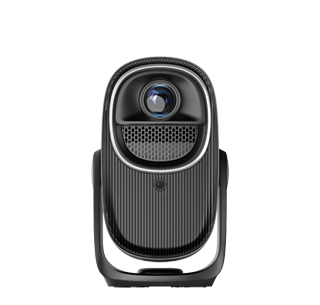
Projectors with PC screen mirroring are projection devices designed to wirelessly or via cable display content from desktop or laptop computers, serving as a critical tool for business presentations, gaming, and professional workflows (e.g., video editing, 3D modeling). Unlike basic projectors that require complex cable setups (e.g., HDMI 2.1, DisplayPort) to connect PCs, these models offer flexible connectivity options—combining wireless casting with high-speed wired ports—to ensure seamless integration with Windows, macOS, or Linux systems. This versatility makes them ideal for offices (for team presentations), gaming setups (for projecting PC games onto large screens), and creative studios (for reviewing high-resolution design files).
Wireless PC mirroring relies on enterprise-grade protocols for reliability. For Windows PCs, projectors support Miracast or Microsoft’s “Connect” app—both enable wireless mirroring of the entire desktop or specific apps. macOS users can leverage AirPlay (for newer Macs) or third-party tools like AirParrot (for older models) to mirror to compatible projectors. Many professional-grade projectors also include Intel WiDi (Wireless Display) support, which optimizes mirroring for Intel-based PCs, reducing latency to under 20ms—essential for gaming or live presentations. Wired connectivity remains a staple for high-performance needs: HDMI 2.1 ports support 4K/120Hz mirroring from gaming PCs, while DisplayPort 1.4 enables 8K mirroring for professional workflows (e.g., editing 8K video footage). For multi-PC environments (e.g., conference rooms), projectors with “KVM switching” let users toggle between multiple PC inputs with one button, eliminating the need to swap cables.
Performance optimizations cater to PC-specific needs. Projectors with high contrast ratios (1,000,000:1) enhance the visibility of text-heavy PC presentations or detailed spreadsheets, while HDR10 support preserves the dynamic range of PC-gamed content (e.g., dark scenes in action games). For video editors, projectors with 10-bit color depth (1.07 billion colors) ensure accurate reproduction of edited footage, matching the color precision of professional PC monitors. Gaming-focused projectors include “low-input lag modes” (8–15ms) and variable refresh rate (VRR) support, syncing the projector’s display with the PC’s GPU to eliminate screen tearing—critical for competitive games like first-person shooters.
User-centric features streamline PC integration. Many projectors include “PC resolution auto-adjustment”—they detect the PC’s native resolution (e.g., 1080p, 4K, 8K) and optimize the projection output, eliminating the need for manual resolution tweaks. For business users, “presentation mode” automatically sharpens text, adjusts brightness for conference room lighting, and disables PC notifications (e.g., email alerts) to prevent presentation interruptions. Professional models offer “calibration tools” (via software or physical controls) that let users match the projector’s color profile to the PC’s monitor, ensuring consistency when moving between the two displays (e.g., editing a video on the PC and reviewing it on the projector). Whether for wirelessly presenting a PC-based slideshow to clients or projecting a PC game onto a 150-inch screen, these projectors bridge the gap between PC power and large-scale display, enhancing productivity and entertainment alike.
Read recommendations:
HN30B Portable - HN Series Projector
4K Laser Projector Native Chip Non-Pixel-Shaking Technology
Development Trends of Projectors and Smart Mini Projectors





















 Reviewed:



