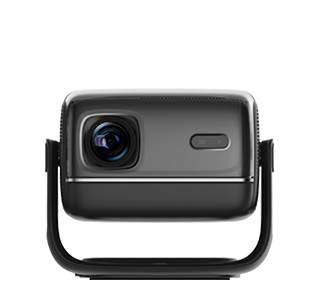
Projectors with USB interfaces are projection devices that include USB ports (typically USB-A, USB-C, or both) to enable direct connectivity to USB-enabled devices (e.g., flash drives, external hard drives, smartphones, and streaming sticks). Unlike projectors without USB support (which require separate media players or laptops to access digital content), these models simplify content playback and device charging—making them ideal for casual users (e.g., families sharing photos from a flash drive) and professionals (e.g., presenters using USB sticks for slideshows). The USB interface transforms projectors from “display-only” devices into self-contained media hubs, reducing reliance on external equipment.
USB interfaces on projectors serve two primary functions: content playback and device charging/powering. For content playback, USB-A ports (2.0 or 3.0) let users plug in flash drives or external hard drives loaded with images (JPEG/PNG), videos (MP4/MKV), or documents (PDF/PPT). Many projectors include built-in media players that support these formats natively—no need for a laptop or streaming device. For example, a family can plug a USB drive with vacation photos into the projector and display a slideshow on a 100-inch screen with just a few button presses. USB-C ports (with or without Power Delivery) offer additional flexibility: they can play content from USB-C flash drives or smartphones (via USB-C to USB-C cables) and charge devices simultaneously.
Charging/powering capabilities add significant convenience. USB-A ports often provide 5V/2A (10W) power, enough to charge smartphones or power small streaming sticks (e.g., Google Chromecast, Amazon Fire TV Stick). This eliminates the need for separate power adapters, reducing cable clutter—ideal for temporary setups (e.g., outdoor movie nights with a portable projector). USB-C Power Delivery (PD) ports (30W–65W) can charge laptops (e.g., MacBook Air, Dell XPS 13) while projecting, a game-changer for business travelers who need to use their laptop for presentations without worrying about battery life.
Advanced USB features enhance versatility. Some projectors include USB-B ports, which connect to laptops for direct image transmission (functioning like a USB display adapter)—useful if the laptop lacks HDMI/DisplayPort. Others support USB OTG (On-The-Go), allowing the projector to act as a host for USB peripherals like mice/keyboards (for navigating media menus) or document cameras (for displaying physical documents). For professional use, USB ports enable firmware updates—users can download updates to a USB drive, plug it into the projector, and install the update without network access.
The benefits of USB interfaces are rooted in simplicity and accessibility. They lower the barrier to entry for casual users (no technical expertise needed to play content from a USB drive) and streamline workflows for professionals (faster setup for presentations). With durable USB ports (reinforced to withstand frequent plugging/unplugging) and broad format support, these projectors ensure reliable performance for years. Whether for sharing family memories, delivering business presentations, or streaming movies, the USB interface makes projectors more user-friendly and versatile.
Read recommendations:
HW45 Home Cinema - HW Series Projector
Gym Projector Clarity Requirements
Can an 8000 - lumen Projector Be Used During the Day?





















 Reviewed:



