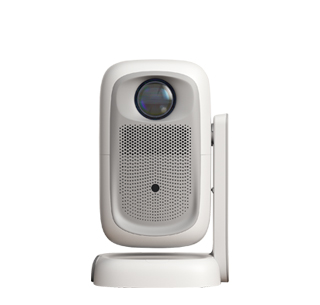
Blurry projected images rank among the most frequent malfunctions encountered during projector usage, and the problem roots split into three primary categories: incorrect focus adjustment, improper placement distance and environmental interference, with targeted troubleshooting able to restore clear picture quality without unnecessary component replacement in most scenarios. Many novice users ignore precise focal tuning after moving the projector, as every projector features a focus ring or electronic autofocus button designed to match different projection distances; rapid rotation of the focus ring randomly cannot achieve optimal definition, requiring slow fine-tuning while observing text details on screen until font edges turn sharp and free of halation. Electronic autofocus projectors occasionally fail due to lens surface dirt blocking the built-in ranging sensor, a commonly overlooked small detail triggering persistent fuzzy display.
Improper throw distance and offset position constitute another major cause of blurred projection. Every projector has a fixed optimal projection distance range specified in official product manuals; placing the machine excessively close or far beyond the rated interval makes full-image focusing impossible, even after complete focus adjustment. Besides distance deviation, tilted placement without keystone correction deforms four corners of the frame, with marginal picture areas turning fuzzy while the central part remains relatively clear. Users need to level the projector on flat platforms first, adjust horizontal and vertical keystone parameters either manually or via digital correction on system menu to regularize the rectangular frame before re-calibrating focus for unified sharpness across the entire projection surface.
Dust accumulation on projector lenses and unfavorable projection surface conditions also induce continuous blurriness. Long-term use leads to floating dust and grease attaching to the outer lens surface, forming a hazy coating that scatters projected light and blurs all displayed content; cleaning requires lint-free microfiber cloth paired with dedicated lens cleaning fluid instead of regular tissue or alcohol wipes that scratch fragile lens coating easily. If projecting onto uneven textured walls with bumps and cracks, diffuse light reflection inevitably ruins image clarity even with perfectly calibrated equipment, and switching to smooth matte projection cloth effectively eliminates this surface-induced blur. In rare cases, internal lens component dislocation from accidental dropping leads to permanent out-of-focus issues, requiring professional after-sales disassembly inspection and part calibration after exhausting all above household troubleshooting methods.
Read recommendations:
HW40 Home Cinema - HW Series Projector
Game Projector with Full-compatibility HDMI2.1 Interface
Projectors with Wireless Keyboard Support





















 Reviewed:



