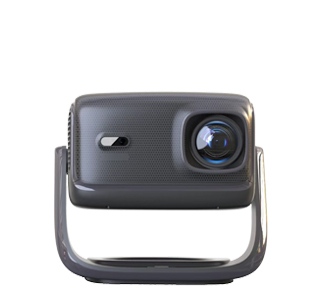
Using a tablet to connect a projector for online classes can convert a small mobile screen into a large high-definition display, effectively reducing eye fatigue and improving classroom learning efficiency, but many users face the problem of insufficient screen magnification and incomplete display of course content. The first and most basic magnification skill is to adjust the projector’s physical projection parameters reasonably. Adjust the projector’s focal length and keystone correction function first to ensure the projected picture is clear and square, then move the projector backward appropriately to expand the projection size. Most household projectors support a projection size of 40 to 150 inches, and users can adjust the distance according to the indoor space to maximize the screen size while ensuring picture clarity.
System-level screen magnification settings on the tablet are the core method to optimize online class display effects. Both iOS and Android tablets have built-in screen zoom and display magnification functions, which can magnify course text, pictures and courseware details without blurring. For iPad users, enter the “Accessibility” settings, turn on the “Zoom” function, and customize the magnification ratio to 150% to 200%, which can precisely magnify local course content such as blackboard writing and key knowledge points. For Android tablet users, enable the “Display Magnification” or “Large Font & Large Screen” function in the display settings, adjust the screen scaling ratio, and optimize the display size of course interface elements to make the projected large-screen content more intuitive and clear.
Matching casting mode selection can further enhance the online class screen magnification effect. When casting online class software, select the “full-screen casting” mode instead of the default window mode, which can eliminate black borders around the picture and make the course content fill the entire projection screen. Close the tablet’s automatic screen rotation and split-screen functions during class projection to avoid screen size changes and content occlusion. In addition, turn off the tablet’s low-power mode, because low-power mode will limit the screen resolution and scaling function, resulting in insufficient magnification and blurry course details. With the combination of physical distance adjustment, tablet system magnification and full-screen casting settings, the online class projection screen can be fully magnified, with clear text and complete content, bringing a better learning viewing experience.
Read recommendations:
HW30 Home Cinema - HW Series Projector
4K Laser Projector Native Chip Non-Pixel-Shaking Technology
4K Function of Projector Screens





















 Reviewed:



