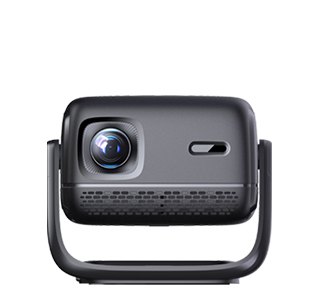
The screen size required for a projector depends on multiple factors, including the projection distance, the projector’s throw ratio, the application scenario (such as home theater, conference room, or classroom), and the viewing distance. To determine the appropriate screen size, it is first necessary to understand the relationship between projection distance and throw ratio, as these two parameters directly affect the maximum and minimum screen sizes that a projector can support.
The throw ratio is calculated as the ratio of the projection distance (the distance from the projector lens to the screen) to the screen width. For example, a projector with a throw ratio of 1.2-1.8:1 is a short-throw projector; a throw ratio of 1.8-2.5:1 is a standard-throw projector; and a throw ratio of less than 1:1 is an ultra-short-throw projector. Taking a standard-throw projector with a throw ratio of 2.0:1 as an example, if the projection distance is 3 meters, the screen width can be calculated as 3 meters / 2.0 = 1.5 meters (about 59 inches), and the screen diagonal (common screen size measurement) would be approximately 70 inches (since the standard screen aspect ratio is 16:9, the diagonal = width × 1.83). If the projection distance is increased to 4 meters, the screen width becomes 4 meters / 2.0 = 2 meters (about 79 inches), and the diagonal is about 92 inches.
In home theater scenarios, the screen size is usually determined based on the viewing distance to ensure a comfortable immersive experience. The recommended viewing distance for a projector screen is generally 1.5-2.5 times the screen diagonal. For example, a 100-inch screen (diagonal) has a width of about 2.21 meters and a height of about 1.24 meters; the recommended viewing distance is 2.21 meters × 1.5 = 3.32 meters to 2.21 meters × 2.5 = 5.53 meters. If the viewing distance is less than 3 meters, a 80-90 inch screen is more suitable to avoid eye strain from being too close; if the viewing distance exceeds 5 meters, a 120-inch or larger screen can be chosen to maintain the immersive effect.
In conference room scenarios, the screen size needs to consider the number of participants and the size of the conference room. For small conference rooms (accommodating 5-10 people) with an area of 20-30 square meters, a 80-100 inch screen is usually sufficient, as the viewing distance is generally 3-4 meters. For medium-sized conference rooms (accommodating 10-20 people) with an area of 30-50 square meters, a 100-120 inch screen is appropriate, with a viewing distance of 4-6 meters. For large conference rooms or lecture halls (accommodating more than 20 people) with an area of over 50 square meters, a 120-150 inch or even larger screen is needed, and the projection distance may need to be 6-10 meters, requiring a projector with a longer throw ratio or the use of a lens shift function to adjust the image position.
It is also important to consider the room space constraints. The screen size cannot exceed the available wall space or the area where the screen is installed. For example, if the wall width is only 2 meters, the maximum screen width is about 1.8 meters (reserving a small gap on both sides), corresponding to a 100-inch screen (16:9 aspect ratio). Additionally, the projector’s brightness should match the screen size: larger screens require higher brightness to ensure clear images. For example, a 100-inch screen requires a projector with a brightness of at least 3000 ANSI lumens, while a 150-inch screen may require a brightness of 5000 ANSI lumens or more, especially in well-lit environments.
Read recommendations:
HW30 Home Cinema - HW Series Projector
Floor - Standing Projector Stands
Improvement of Quality Standards in the Projector Industry





















 Reviewed:



