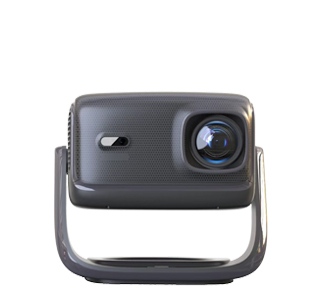
Focus failure on startup is a common malfunction of projectors, and the problem usually stems from mechanical faults, setting errors or external interference, which can be troubleshooted step by step by ordinary users. Most focus issues are not serious hardware damage and can be fixed with simple operations.
First, check for external obstructions and lens problems. Dust, fingerprints or smudges on the projector lens will blur the imaging and mislead the focusing system. Wipe the lens gently with a professional lens cloth, and never use rough paper or ordinary cloth to avoid scratching the lens surface. Besides, make sure there are no objects within the projection path. Curtains, furniture or decorations too close to the screen will limit the focusing range and cause focusing failure. Keep a clear space between the projector and the projection surface.
Second, reset the focus function and adjust device settings. Many projectors have automatic focus and keystone correction functions. If the sensor is temporarily stuck after long standby, turn off the projector, cut off the power for 3 to 5 minutes, and restart it to restore the system. You can also switch from auto-focus to manual focus, and rotate the focus ring slowly to test whether the image can be clear. If you frequently move the projector, the offset of the projection position will also affect focusing. Try to place the device on a stable flat surface and keep the lens perpendicular to the screen.
Third, deal with mechanical or software failures. If manual focus also cannot work normally, the internal focus motor or gear may be stuck due to long-term use or vibration. Do not disassemble the machine by yourself. Enter the projector’s system settings to restore factory defaults, which can eliminate errors caused by abnormal system parameters. After all simple solutions fail, the problem is likely hardware damage, and you need to contact official after-sales service for professional inspection and maintenance.
Read recommendations:
HN30B Portable - HN Series Projector
Glass Fiber Screen Projector
High - end Projectors with Electric Screens





















 Reviewed:



